Delivery Management
Track delivery orders — sales orders not yet invoiced — with due-today counts, pending status, and a recent orders list for dispatch teams.
Overview
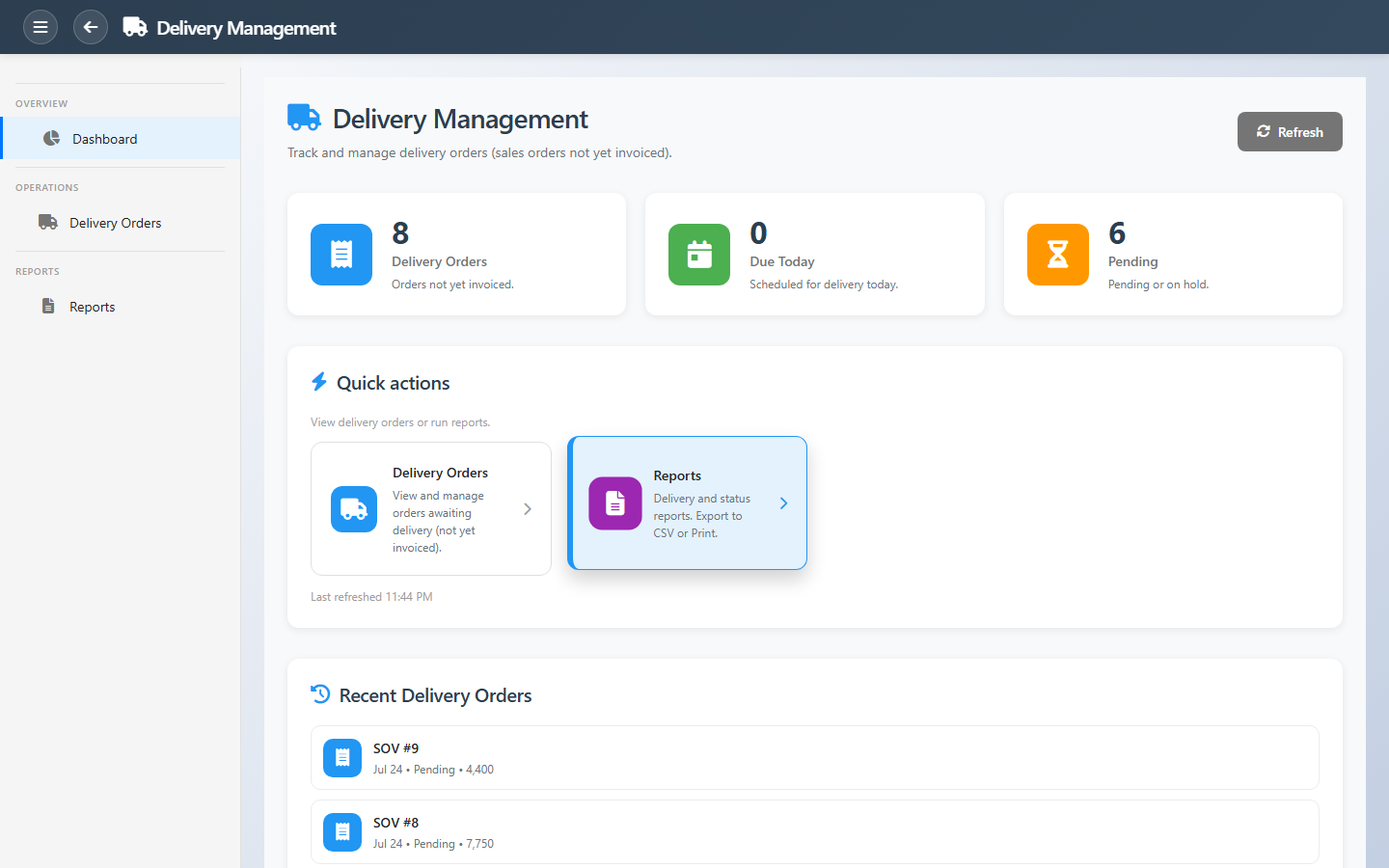
Delivery Management focuses on sales orders awaiting delivery and invoice. Dashboard tiles count all delivery orders, orders scheduled for today, and lines that are pending or on hold — so dispatch teams know what must leave the building.
Quick actions open the delivery order list and reports. Recent orders show the latest activity so coordinators can continue work without rebuilding filters every morning.
Key Capabilities
Delivery orders
List of sales orders not yet invoiced.
Due today
Orders scheduled for delivery on the current date.
Pending tracking
Pending and on-hold lines surfaced on the dashboard.
Recent orders
Latest delivery activity for quick continuation.
Sales order link
Full order detail for picking and proof of delivery.
Delivery reports
Operational and analytical delivery output.
Task Assignment Catalog
The Task Assignment Catalog connects workflow events in this module — documents submitted or approved, thresholds crossed, lifecycle handoffs — to the people who should act next. When an event fires, PerfectoERP assigns follow-up tasks, sends in-app notifications, or both, according to each catalog entry. Teams collaborate through My Desk instead of polling lists or chasing status in email.
Delivery route delayed
Task assignment + notification
A delivery route or batch is running late. Notify customers and dispatch.
Default recipients
- Task → Delivery Manager
- Notification → Logistics Officer
Default routing is customizable per catalog entry — add job functions or individual users, or disable tasks or notifications in Configure.
Interface Showcase
Delivery order counts, due-today focus, and dispatch shortcuts.
Connected Modules
Point of Sale
In-store and dispatch sales.
Sales Orders
Source orders for delivery.
Branches Management
Branches that fulfil delivery.
Ready to clear the delivery queue?
Work due-today orders first, resolve pending and on-hold lines, and invoice only after fulfilment is complete.