Tenders
Register opportunities, build BOQ and cost in a guided tender planner, log follow-ups, analyze win rates and margins, and convert wins straight into projects.
Smart Business Workflows
This module includes guided smart business workflows — multi-step runs with clear stages, review before commit, and audit-friendly history built for how your teams actually work.
Tender Planner
6 guided steps
The Tender Planner is the only surface for creating and maturing bids: header, bill of quantities, cost breakdown, sites, owners, and review. The tender document is born when you complete step one; every later step enriches that same record until you confirm and open tender detail — or until approval locks editing.
Why teams use it
- Single editing surface for new and existing tenders — no parallel BOQ screens
- Pre-flight on confirm: every BOQ line must link to a master item
- Workflow list (`/tenders/planners`) to resume any in-flight estimate
- Six steps with jump-back links on review so estimators fix one area at a time
- Won tenders convert to projects without re-keying scope and structure
Overview
Tenders manages the commercial front door for contracting businesses. Start new bids in the tender planner — header, bill of quantities, costing, sites, owners, and review — then track status through approval to won or lost.
Follow-ups capture every client touch while the bid is open. Analytics show funnel health, margin distribution, and customer scorecards; reports give management printable registers. Awarded tenders convert to projects so planning starts without re-entry.
Key Capabilities
Tender planner
Guided setup from first registration through priced BOQ and review.
Bill of quantities
Line-level costing with cross-tender BOQ views for estimators.
Follow-ups
Log client and internal touchpoints before deadlines slip.
Bid analytics
Funnel, win/loss, margin bands, and customer scorecards.
Deadline tracking
Dashboard and reports flag bids approaching due dates.
Award to project
Convert won tenders into live projects in one workflow.
Task Assignment Catalog
The Task Assignment Catalog connects workflow events in this module — documents submitted or approved, thresholds crossed, lifecycle handoffs — to the people who should act next. When an event fires, PerfectoERP assigns follow-up tasks, sends in-app notifications, or both, according to each catalog entry. Teams collaborate through My Desk instead of polling lists or chasing status in email.
Tender document submitted
Task assignment + notification
A tender document was submitted for approval or bid preparation.
Default recipients
- Task → Tenders Manager
- Notification → Sales Manager
Default routing is customizable per catalog entry — add job functions or individual users, or disable tasks or notifications in Configure.
Tender approved — proceed
Task assignment + notification
A tender document was fully approved.
Default recipients
- Task → Tenders Manager
- Notification → Project Manager
Default routing is customizable per catalog entry — add job functions or individual users, or disable tasks or notifications in Configure.
Interface Showcase
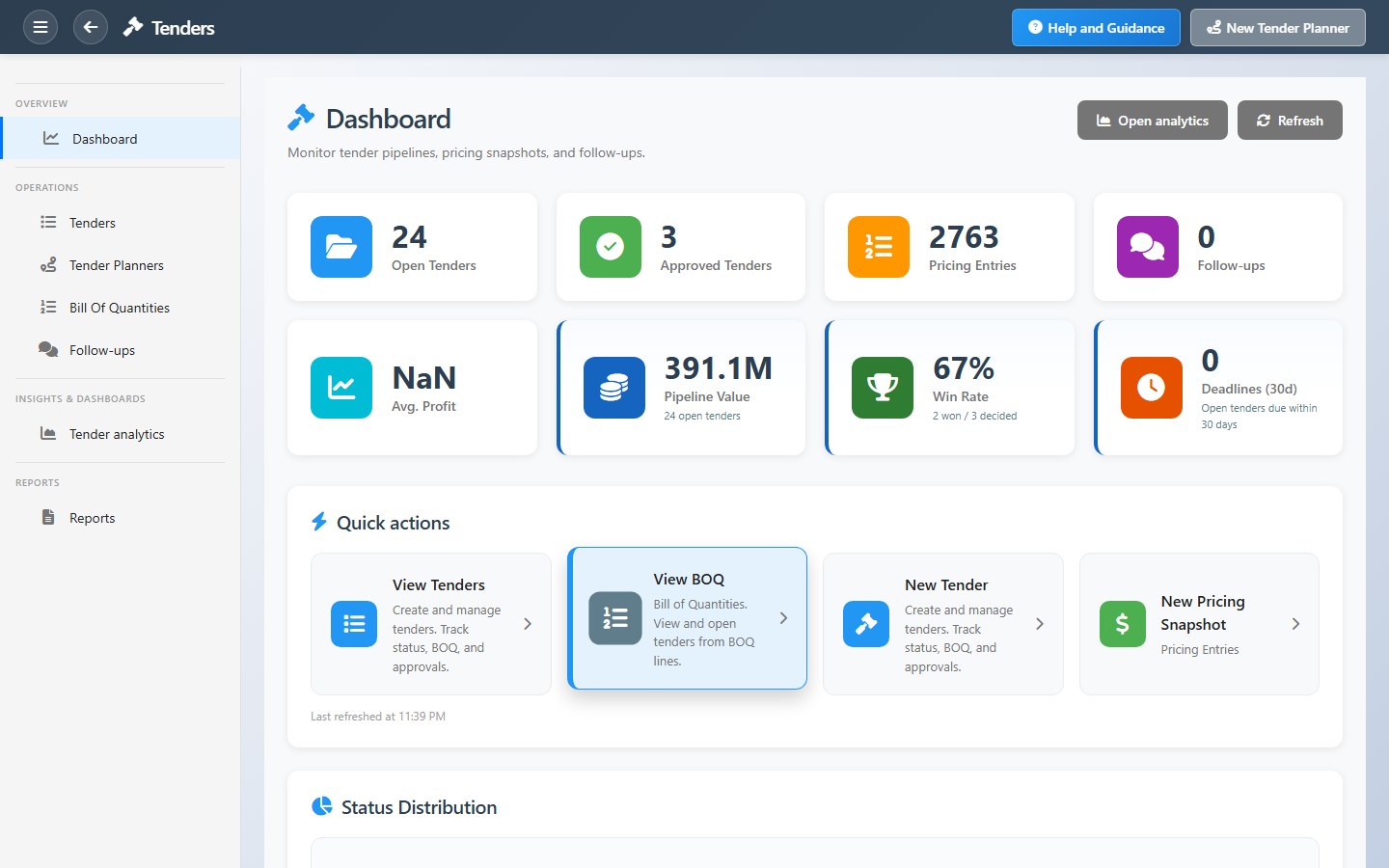
Pipeline KPIs, planner shortcuts, BOQ, follow-ups, and analytics.
Connected Modules
Projects
Delivery after you win.
Document Control
Formal bid correspondence.
Banking
Bid bonds and letters of guarantee.
Ready to win more bids profitably?
Keep deadlines and follow-ups current so pipeline value and margin reports reflect the deals you can actually win.