Progress Billing
Raise customer progress bills and subcontractor progress bills from completed work, route approvals, and report by period — aligned with agreements and site progress.
Overview
Progress Billing handles periodic invoicing on construction and service contracts. Bill the project customer for work certified to date, and bill subcontractors for their completed scope — as separate document types with their own workflows.
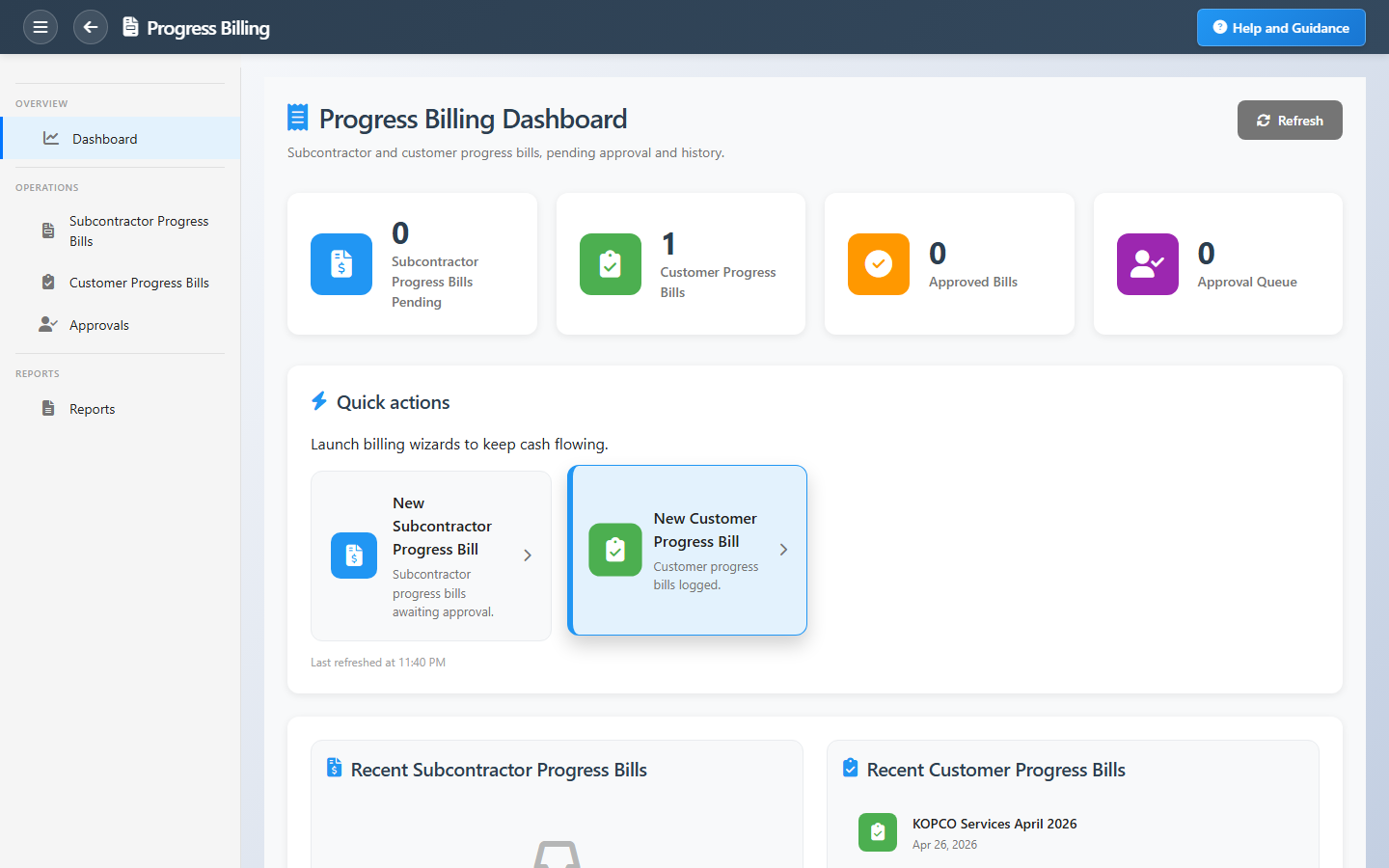
The dashboard shows pending subcontractor bills, customer bill counts, and items awaiting approval. Quick actions start new bills; summary reports give finance a period health check before close.
Key Capabilities
Customer progress bills
Invoice the project owner based on certified completion.
Subcontractor bills
Pay subs for work to date against their agreements.
Approval workflow
Review queue before bills post or move to paid/invoiced.
Agreement context
Headers linked to subcontractor agreements and project scope.
Quick create
Start customer or subcontractor bills from the dashboard.
Billing registers
Summary and period reports for commercial and finance review.
Task Assignment Catalog
The Task Assignment Catalog connects workflow events in this module — documents submitted or approved, thresholds crossed, lifecycle handoffs — to the people who should act next. When an event fires, PerfectoERP assigns follow-up tasks, sends in-app notifications, or both, according to each catalog entry. Teams collaborate through My Desk instead of polling lists or chasing status in email.
Subcontractor progress bill submitted
Task assignment + notification
A subcontractor progress bill was submitted for approval.
Default recipients
- Task → Progress Billing Manager
- Notification → Project Manager
Default routing is customizable per catalog entry — add job functions or individual users, or disable tasks or notifications in Configure.
Progress bill approved
Task assignment + notification
A progress bill was approved. Proceed with posting and payment schedule.
Default recipients
- Task → Accounts Payable Manager
- Notification → Progress Billing Manager
Default routing is customizable per catalog entry — add job functions or individual users, or disable tasks or notifications in Configure.
Project progress bill submitted
Task assignment + notification
A project progress bill was submitted for approval.
Default recipients
- Task → Progress Billing Manager
- Notification → Project Manager
Default routing is customizable per catalog entry — add job functions or individual users, or disable tasks or notifications in Configure.
Progress billing invoice submitted
Task assignment + notification
A progress billing invoice was submitted for approval.
Default recipients
- Task → Progress Billing Manager
- Notification → Project Manager
Default routing is customizable per catalog entry — add job functions or individual users, or disable tasks or notifications in Configure.
Vendor insurance account required
Notification
A subcontractor has an insurance percentage but no insurance account. Issue an insurance account for the vendor so the related progress bill can post.
Default recipients
- Notification → Chart of Accounts Manager
Default routing is customizable per catalog entry — add job functions or individual users, or disable tasks or notifications in Configure.
Interface Showcase
Pending bills, approval queue, and shortcuts for customer and subcontractor billing.
Connected Modules
Projects
Contract and task context.
Site Management
Field evidence for certified work.
Accounts Receivable
Collect customer progress invoices.
Ready to match cash flow to progress?
Clear the approval queue before month-end and tie every bill to the right project and agreement.