Document Control
Register inbound and outbound project correspondence, track recent letters, link subcontractor agreements, and produce correspondence summaries for audits.
Overview
Document Control is the correspondence hub for projects and contracts. Log letters and formal messages received and issued, with project context, document type, attachments, and approval state on each record.
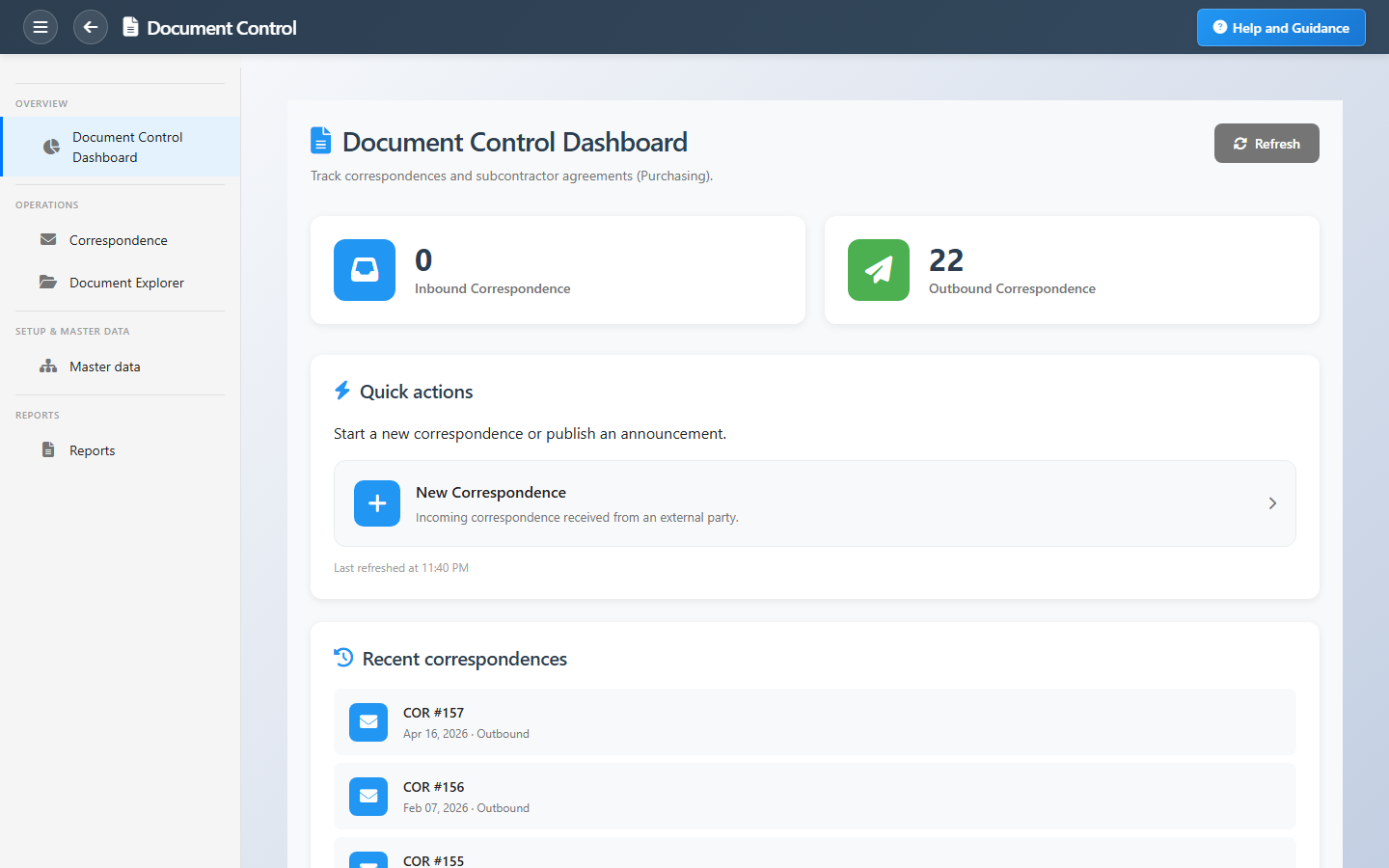
The dashboard summarizes inbound and outbound volume, lists the newest correspondence for triage, and links to subcontractor agreements when your role includes commercial registers. Reports provide printable summaries for management and audit packs.
Key Capabilities
Inbound correspondence
Register communications received from clients, subs, and authorities.
Outbound correspondence
Issue formal letters with controlled numbering and history.
Correspondence register
Searchable list with project, channel, and status on each item.
Subcontractor agreements
Jump to controlled agreement lists from the hub.
Attachments
Store supporting files with each correspondence record.
Summary reports
Export correspondence summaries for reviews and audits.
Task Assignment Catalog
The Task Assignment Catalog connects workflow events in this module — documents submitted or approved, thresholds crossed, lifecycle handoffs — to the people who should act next. When an event fires, PerfectoERP assigns follow-up tasks, sends in-app notifications, or both, according to each catalog entry. Teams collaborate through My Desk instead of polling lists or chasing status in email.
Controlled document revision issued
Task assignment + notification
A controlled document revision was issued. Acknowledge distribution.
Default recipients
- Task → Document Control Manager
- Notification → Project Manager
Default routing is customizable per catalog entry — add job functions or individual users, or disable tasks or notifications in Configure.
Correspondence submitted for approval
Task assignment + notification
A controlled correspondence was submitted for approval.
Default recipients
- Task → Document Control Manager
- Notification → Project Manager
Default routing is customizable per catalog entry — add job functions or individual users, or disable tasks or notifications in Configure.
Correspondence fully approved
Task assignment + notification
A controlled correspondence was fully approved.
Default recipients
- Task → Document Control Manager
- Notification → Project Manager
Default routing is customizable per catalog entry — add job functions or individual users, or disable tasks or notifications in Configure.
Interface Showcase
Inbound/outbound totals, recent correspondence, and new letter shortcuts.
Connected Modules
Projects
Project context on every letter.
Tenders
Bid-stage formal communication.
Progress Billing
Commercial documents alongside correspondence.
Ready for audit-ready project correspondence?
Start each day on the dashboard, triage recent items, then open registers for full detail and reports.