Planning
Balance demand plans, sales forecasts, and the master production schedule — then turn plans into production and purchasing actions.
Smart Business Workflows
This module includes guided smart business workflows — multi-step runs with clear stages, review before commit, and audit-friendly history built for how your teams actually work.
Make-to-Stock Process
5 planning steps
Make-to-Stock is a five-step planning run for finished goods: define scope and run MRP per item, edit exploded component requirements, schedule production dates and capacity, route each shortage to purchase request or RFQ, then apply and close to create MPS rows and purchasing documents — without separate master or production plan headers.
Why teams use it
- Five steps from demand scope to MPS rows and purchase docs in one confirm
- Editable planned quantities on exploded components before you commit
- Capacity and production dates in step three when MRP and lines are ready
- Purchasing routing per component — PR when you can buy, RFQ when you cannot
- Cards or grid on the workflow hub; same busy-state UX as purchase replenishment
Overview
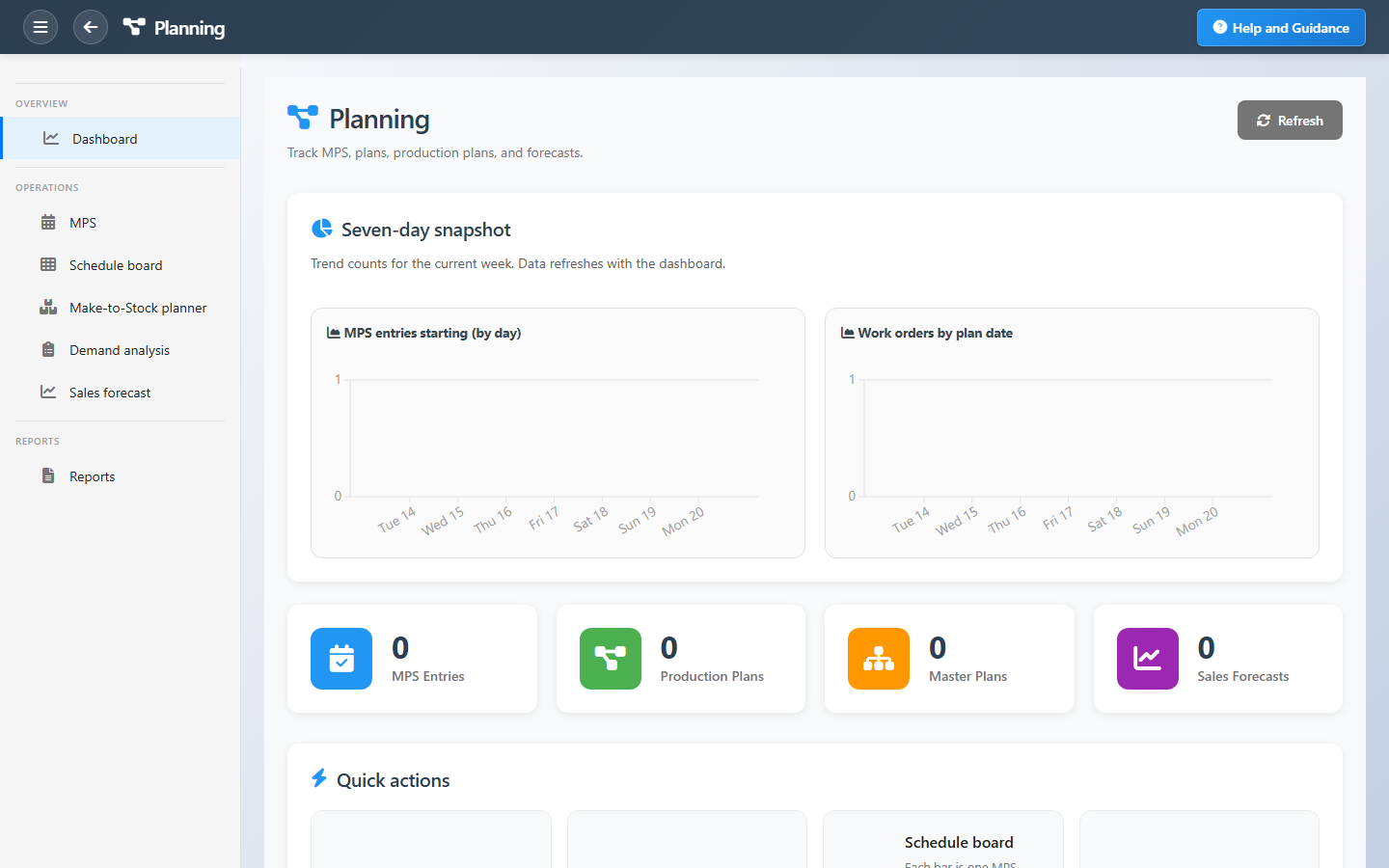
Planning tracks the master production schedule, demand plans, sales forecasts, and the documents that turn demand into supply. Dashboard tiles show MPS entries, production plans, master plans, and forecasts with seven-day trends for new schedule lines and planned work orders.
The MPS drives downstream supply — review it before releasing work orders so capacity and materials stay balanced. Master, production, and purchasing plan maintenance for advanced scenarios lives under Advanced Planning when licensed.
Key Capabilities
Master production schedule
Time-phased production commitments by product and period.
Demand plans
Translate expected demand into planning inputs.
Sales forecasts
Forecast documents that feed the planning cycle.
Schedule board
Visual MPS horizon for planners and managers.
Capacity balance
See workload before orders hit the shop floor.
Planning reports
MPS attainment, capacity utilization, and period views.
Task Assignment Catalog
The Task Assignment Catalog connects workflow events in this module — documents submitted or approved, thresholds crossed, lifecycle handoffs — to the people who should act next. When an event fires, PerfectoERP assigns follow-up tasks, sends in-app notifications, or both, according to each catalog entry. Teams collaborate through My Desk instead of polling lists or chasing status in email.
Purchasing plan approved
Task assignment + notification
A purchasing plan was approved. Convert planned lines to purchase requests or orders.
Default recipients
- Task → Purchasing Manager
- Notification → Planning Manager
Default routing is customizable per catalog entry — add job functions or individual users, or disable tasks or notifications in Configure.
Production plan approved
Task assignment + notification
A production plan was approved. Release work orders per the plan.
Default recipients
- Task → Production Manager
- Notification → Plant Manager
Default routing is customizable per catalog entry — add job functions or individual users, or disable tasks or notifications in Configure.
Demand plan approved
Task assignment + notification
A demand plan was approved. Feed MRP and S&OP processes.
Default recipients
- Task → Planning Manager
- Notification → Sales Manager
Default routing is customizable per catalog entry — add job functions or individual users, or disable tasks or notifications in Configure.
Master production schedule published
Task assignment + notification
A master production schedule was published. Review capacity and material availability.
Default recipients
- Task → Master Production Schedule Manager
- Notification → Plant Manager
Default routing is customizable per catalog entry — add job functions or individual users, or disable tasks or notifications in Configure.
MPS capacity overload
Notification
Master production schedule exceeds available capacity on one or more work centers.
Default recipients
- Notification → Plant Manager
Default routing is customizable per catalog entry — add job functions or individual users, or disable tasks or notifications in Configure.
Production plan released
Task assignment + notification
A production plan was approved and released to the shop floor.
Default recipients
- Task → Production Manager
- Notification → Planning Manager
Default routing is customizable per catalog entry — add job functions or individual users, or disable tasks or notifications in Configure.
Interface Showcase
MPS, demand, forecast, and plan KPIs with shortcuts into schedule maintenance.
Connected Modules
Production Control
Execute what you planned.
Advanced Planning
Master, production, and purchasing plans.
Production Lines
Capacity inputs for planning.
Ready to plan before you produce?
Reconcile forecasts with demand, commit the MPS for the period, and release work orders when capacity and materials align.