Performance Evaluation
Run evaluation phases, score employees against criteria, schedule review meetings, and see department averages and leaderboards when your culture rewards transparency.
Smart Business Workflows
This module includes guided smart business workflows — multi-step runs with clear stages, review before commit, and audit-friendly history built for how your teams actually work.
Evaluation Run
Batch scoring flow
An Evaluation Run batches performance reviews for one department: set manager and dates, roster direct reports, score criteria on linked resource evaluations, let managers confirm, then apply and close to finalize every evaluation in the cycle together.
Why teams use it
- Department-scoped batch — one run, one manager roster, one close
- Add direct reports only; product validates eligibility before you continue
- HR and manager scoring lanes on the same linked evaluation record
- Optional default manager on the department speeds the next cycle
- Apply and close finalizes all linked evaluations in one controlled action
Overview
Performance evaluation structures how you assess people. Define phases with start and end dates, set evaluation items and criteria, then open evaluations for employees and managers to complete.
Reviews capture meeting outcomes alongside numeric scores. Dashboards show status mix, average score trends, distribution bands, and department comparisons — plus a leaderboard for top performers over a rolling window.
Key Capabilities
Evaluation phases
Time-boxed cycles with clear open and close dates.
Scoring criteria
Evaluation items managers and employees score against.
Completion tracking
See evaluations still needing input before the phase closes.
Review meetings
Schedule and record review conversations linked to scores.
Trend analytics
Average scores over time and distribution across rating bands.
Leaderboard
Recognize top performers when your policy allows shared rankings.
Task Assignment Catalog
The Task Assignment Catalog connects workflow events in this module — documents submitted or approved, thresholds crossed, lifecycle handoffs — to the people who should act next. When an event fires, PerfectoERP assigns follow-up tasks, sends in-app notifications, or both, according to each catalog entry. Teams collaborate through My Desk instead of polling lists or chasing status in email.
Performance evaluation opened
Task assignment + notification
A performance evaluation cycle was opened for an employee. Complete ratings before the due date.
Default recipients
- Task → Performance Evaluation Manager
- Notification → HR Manager
Default routing is customizable per catalog entry — add job functions or individual users, or disable tasks or notifications in Configure.
Employee evaluation due
Notification
A performance evaluation is due for completion.
Default recipients
- Notification → HR Manager
Default routing is customizable per catalog entry — add job functions or individual users, or disable tasks or notifications in Configure.
Interface Showcase
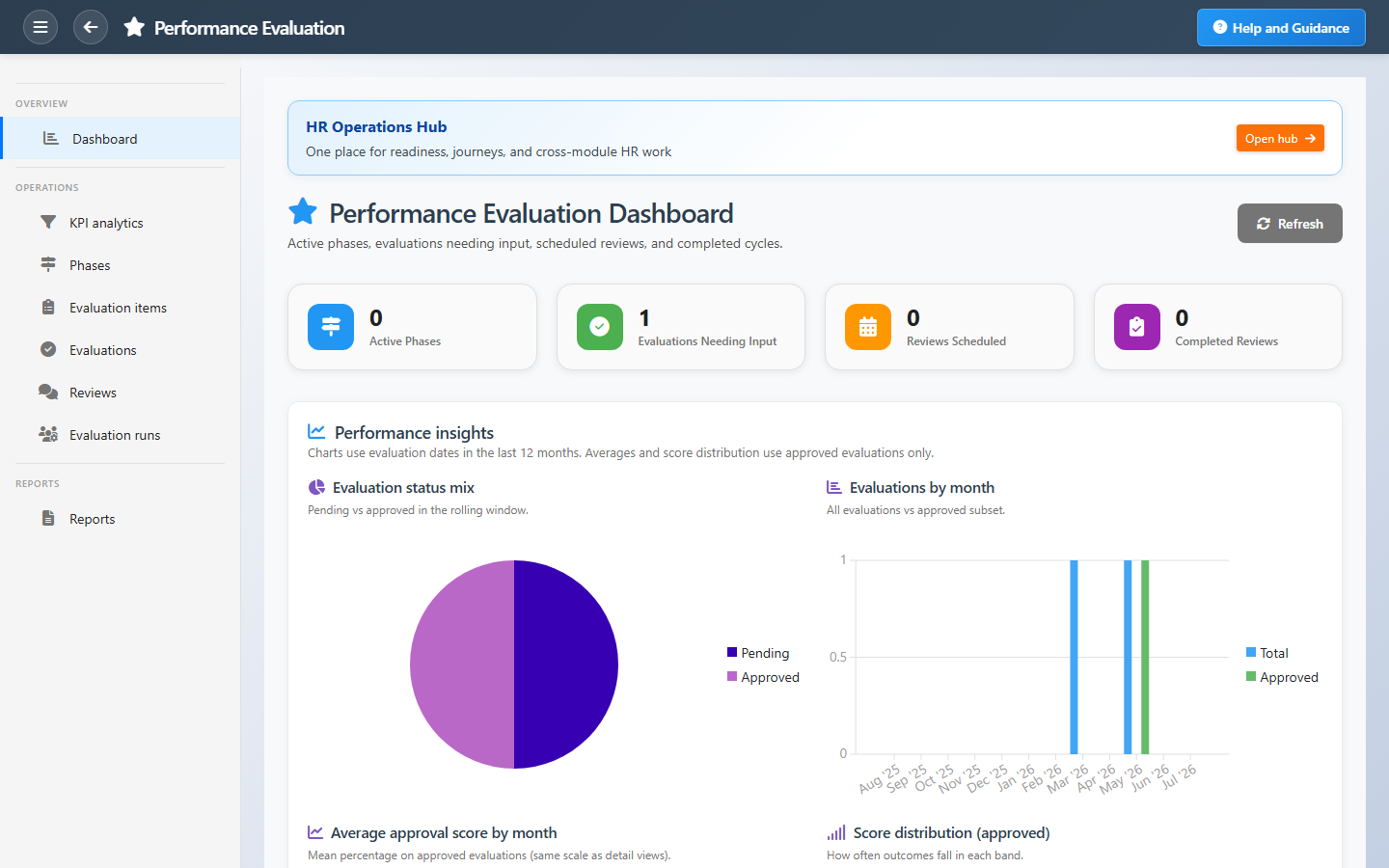
Active phases, pending evaluations, score trends, and review completion.
Connected Modules
HR Operations Hub
Performance cycle playbook.
Organizational Structure
Departments for comparison views.
Employee Database
Employee records under review.
Ready to run a fair review cycle?
Open a phase, collect input on time, and close with scores leadership can act on.