Payroll
Build payroll runs from templates, route lines for approval, recover loans, and pay employees — with charts for net pay, deductions, and year-to-date composition.
Smart Business Workflows
This module includes guided smart business workflows — multi-step runs with clear stages, review before commit, and audit-friendly history built for how your teams actually work.
Bulk Payroll
4 payroll steps
Bulk Payroll walks payroll officers from scope to close: add eligible employees by department or manual pick, preview earnings and deductions in a pivot-style grid, create and submit resource payroll lines, pay approved rows, and close the batch when every line is paid or marked will-not-pay.
Why teams use it
- Stage all eligible staff in one run — all, by department, or hand-picked
- Recalculate per employee or entire roster before creating payroll lines
- Pivot preview shows net, gross, and template columns before anything posts
- Pay all approved and will-not-pay paths so batches always close cleanly
- Only employees with payroll templates on employee or job title can enter the flow
Overview
Payroll turns HR data into payslips. Templates define earnings and deductions; each run picks up attendance, leave, incentives, and loan installments for the period. Lines move from pending to approved to paid with controls at each step.
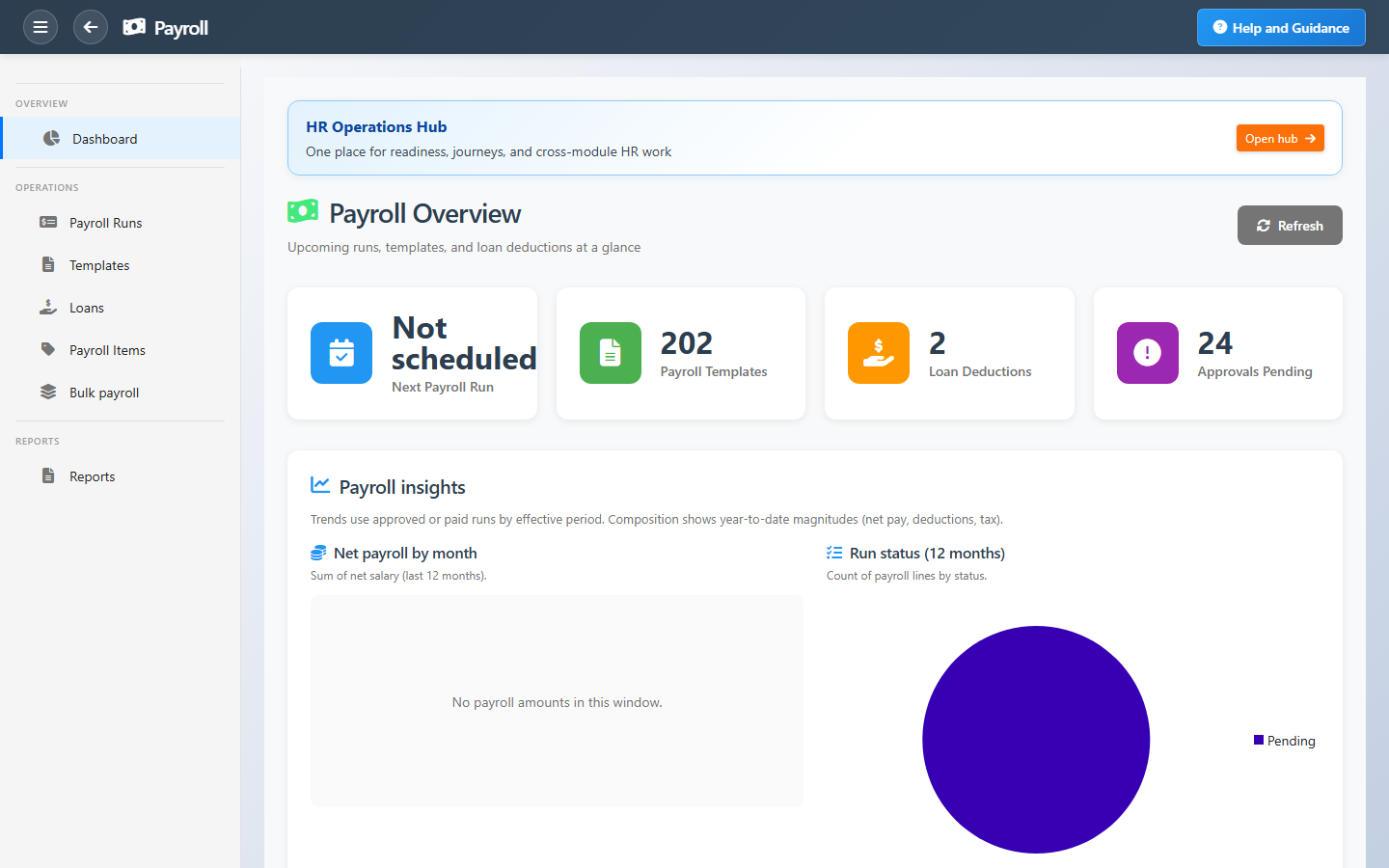
The dashboard warns when templates are missing, loans are active, or approvals are stuck. Charts show net pay trends, headcount paid, and year-to-date tax and deductions so finance and HR share the same picture.
Key Capabilities
Guided pay runs
Wizard-driven runs that pull the right employees and period data.
Payroll templates
Reusable pay structures linked to job titles or individual employees.
Loans & recoveries
Employee loans with installments deducted automatically each run.
Approval control
Pending lines must be approved before payment and GL posting.
Pay analytics
Net pay by month, average pay per line, and status mix over twelve months.
Payslips & reporting
Employee payslips and payroll registers for audit and compliance.
Task Assignment Catalog
The Task Assignment Catalog connects workflow events in this module — documents submitted or approved, thresholds crossed, lifecycle handoffs — to the people who should act next. When an event fires, PerfectoERP assigns follow-up tasks, sends in-app notifications, or both, according to each catalog entry. Teams collaborate through My Desk instead of polling lists or chasing status in email.
Payroll run ready for review
Task assignment + notification
A payroll run was submitted for approval. Review totals, deductions, and employee lines before posting.
Default recipients
- Task → Payroll Manager
- Notification → CFO
Default routing is customizable per catalog entry — add job functions or individual users, or disable tasks or notifications in Configure.
Employee loan request submitted
Task assignment + notification
An employee loan request was submitted for approval. Review terms and payroll impact.
Default recipients
- Task → Payroll Manager
- Notification → HR Manager
Default routing is customizable per catalog entry — add job functions or individual users, or disable tasks or notifications in Configure.
Payroll run posted
Notification
A payroll run was posted. Review payslips and bank transfer files.
Default recipients
- Notification → CFO
Default routing is customizable per catalog entry — add job functions or individual users, or disable tasks or notifications in Configure.
Payroll template changed
Notification
A payroll template was modified after its initial creation. Open Payroll Templates to review the change.
Default recipients
- Notification → CEO
Default routing is customizable per catalog entry — add job functions or individual users, or disable tasks or notifications in Configure.
Interface Showcase
Next run date, template health, loan deductions, and pay composition charts.
Connected Modules
Incentives & Deductions
Bonuses and deductions in the run.
Time & Attendance
Hours that drive variable pay.
General Ledger
Payroll posts to finance.
Ready for payroll you can defend?
Close attendance and leave first, clear pending approvals, then run pay with templates everyone understands.