Leave Management
Employees request leave, managers approve, balances update automatically, and everyone sees who is out today — integrated with payroll and attendance.
Overview
Leave management handles the full request lifecycle. Employees submit leave; managers approve or reject; balances adjust according to your business rules for annual, sick, and other leave types.
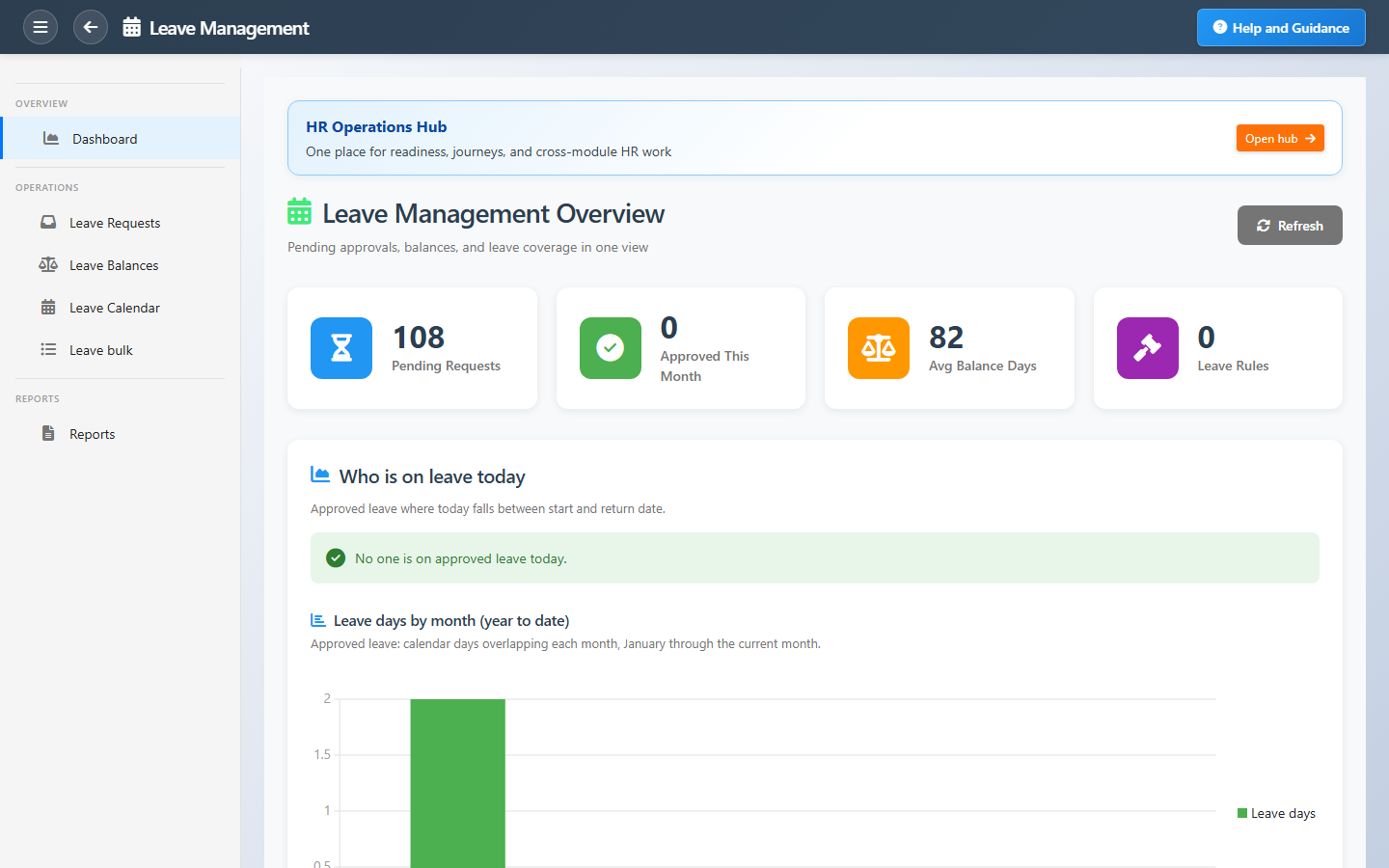
The dashboard shows pending requests, who is on leave today, average balances across the workforce, and leave days taken month by month — so planners know coverage before they approve.
Key Capabilities
Self-service requests
Employees submit leave from the portal or HR on their behalf.
Approval workflow
Managers act on pending requests with full balance context.
Balance tracking
Remaining days per type, driven by rules and accrual policies.
Who is out today
Approved leave overlapping today with return dates visible.
Leave rules
Eligibility and accrual logic aligned with company policy.
Official holidays
Organization-wide paid-leave rows for public holidays when configured.
Task Assignment Catalog
The Task Assignment Catalog connects workflow events in this module — documents submitted or approved, thresholds crossed, lifecycle handoffs — to the people who should act next. When an event fires, PerfectoERP assigns follow-up tasks, sends in-app notifications, or both, according to each catalog entry. Teams collaborate through My Desk instead of polling lists or chasing status in email.
Leave request submitted
Task assignment + notification
An employee submitted a leave request. Review coverage and approve or reject in Leave Management.
Default recipients
- Task → Leave Management Manager
- Notification → HR Manager
Default routing is customizable per catalog entry — add job functions or individual users, or disable tasks or notifications in Configure.
Leave request approved
Notification
An employee leave request was approved. Calendar and payroll accruals are updated.
Default recipients
- Notification → Leave Management Clerk
Default routing is customizable per catalog entry — add job functions or individual users, or disable tasks or notifications in Configure.
Your leave request was approved
Notification
Your leave request was fully approved. Check the leave calendar for dates.
Default recipients
- Notification → Employee linked on the document
Default routing is customizable per catalog entry — add job functions or individual users, or disable tasks or notifications in Configure.
Interface Showcase
Pending requests, team coverage today, balances, and leave trends.
Connected Modules
Time & Attendance
Leave reconciled against attendance.
Payroll
Paid and unpaid leave in pay runs.
Employee Database
Employee records tied to each request.
Ready to simplify leave administration?
Stop spreadsheet tracking — use rules, balances, and a team calendar everyone trusts.