General Ledger
Record, approve, and post journal entries — then close periods with confidence. Every sub-module feeds the ledger automatically.
Overview
The general ledger is where every financial transaction lands. Sales invoices, vendor payments, payroll, bank reconciliation — all create balanced journal entries you can review, approve, and post.
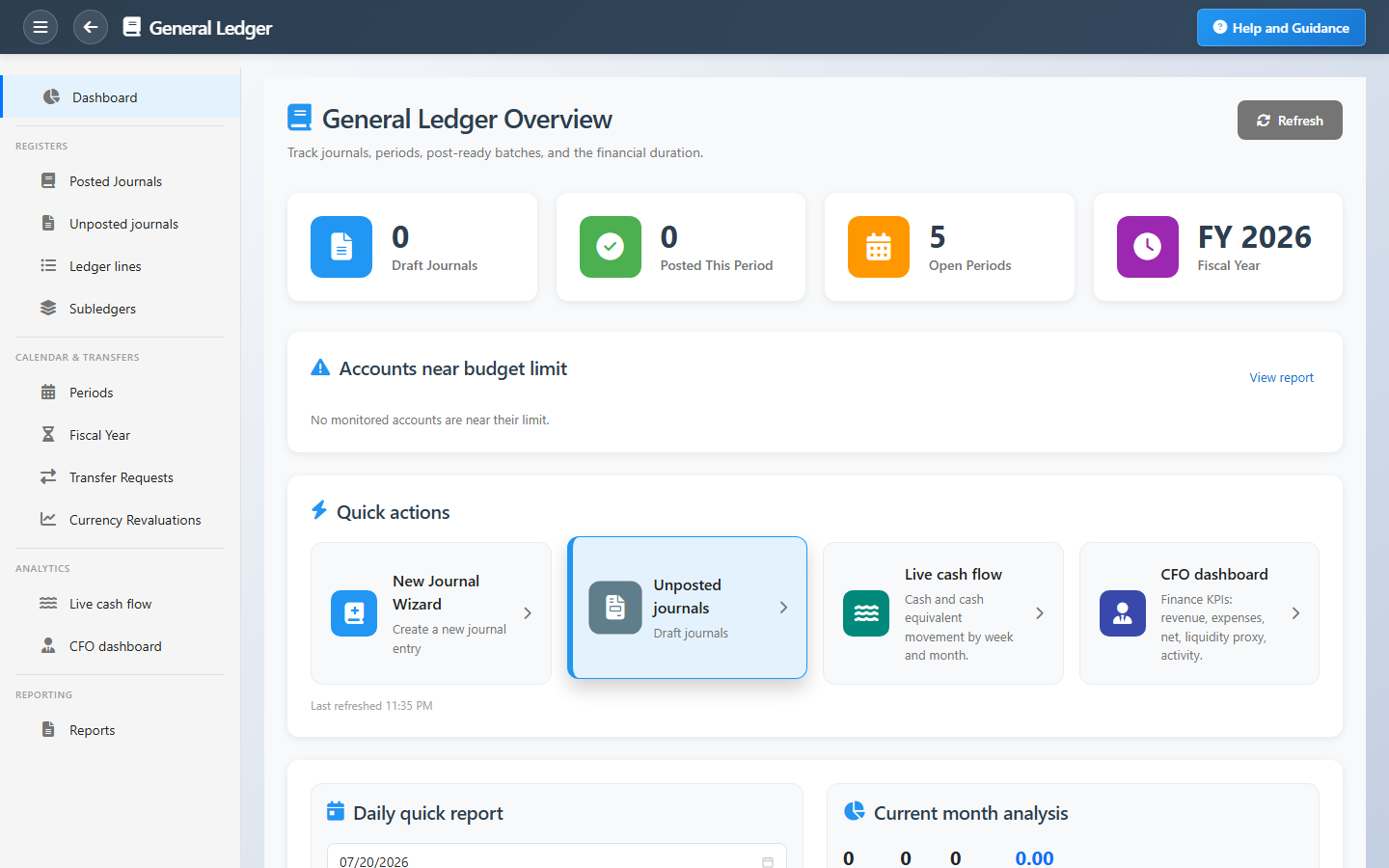
The dashboard shows draft backlog, posted volume for the year, open periods, and accounts nearing budget limits. Month-end close runs depreciation, profit-and-loss posting, and period locking in a controlled sequence.
Key Capabilities
Automatic journal entries
Invoices, payments, receipts, and payroll generate balanced entries — less manual typing, fewer errors.
Approve then post
Draft journals go through approval before they affect balances, so nothing posts by accident.
Fiscal period control
Open and close periods deliberately; see which months still need closing before year-end.
Live cash flow & CFO views
Analytics dashboards show cash movement and leadership KPIs without exporting spreadsheets.
Budget enforcement
Posting can be blocked when an entry would breach an account budget — with a clear reason on screen.
Audit-ready history
Attach supporting documents to journals and trace any balance back to its source lines.
Task Assignment Catalog
The Task Assignment Catalog connects workflow events in this module — documents submitted or approved, thresholds crossed, lifecycle handoffs — to the people who should act next. When an event fires, PerfectoERP assigns follow-up tasks, sends in-app notifications, or both, according to each catalog entry. Teams collaborate through My Desk instead of polling lists or chasing status in email.
Journal entry submitted for approval
Task assignment + notification
A journal entry was submitted for approval. Review debits, credits, and supporting detail.
Default recipients
- Task → GL Administrator
- Notification → CFO
Default routing is customizable per catalog entry — add job functions or individual users, or disable tasks or notifications in Configure.
Journal entry approved
Task assignment + notification
A journal entry was fully approved.
Default recipients
- Task → GL Journal Auditor
- Notification → CFO
Default routing is customizable per catalog entry — add job functions or individual users, or disable tasks or notifications in Configure.
Financial period close submitted
Task assignment + notification
A financial period close document was submitted for approval.
Default recipients
- Task → GL Administrator
- Notification → CFO
Default routing is customizable per catalog entry — add job functions or individual users, or disable tasks or notifications in Configure.
Currency revaluation submitted
Task assignment + notification
A currency revaluation document was submitted for approval.
Default recipients
- Task → GL Currency Revaluation
- Notification → CFO
Default routing is customizable per catalog entry — add job functions or individual users, or disable tasks or notifications in Configure.
Interface Showcase
Journal activity, period status, budget alerts, and quick paths to post or close the month.
Connected Modules
Chart of Accounts
Account structure and trial balance.
Banking
Bank balances that reconcile to the ledger.
Invoicing
Customer and vendor invoices that post automatically.
Ready to close the books with confidence?
Keep draft journals under control, approve before posting, and lock each period when the numbers are right.