Accounts Receivable
Track what customers owe, record collections, follow overdue receipts, and plan cash inflows with notes receivable and collection management.
Smart Business Workflows
This module includes guided smart business workflows — multi-step runs with clear stages, review before commit, and audit-friendly history built for how your teams actually work.
Bulk Collections
Multi-step batch
Bulk Collections mirrors the bulk payments pattern for the receivables side: choose open customer balances, set the collect-in account, distribute amounts across cash, bank transfer, or cheque, and confirm in a focused workspace built for high-volume collection days.
Why teams use it
- Collect from many customers in one session instead of repetitive receipt entry
- Bulk actions — auto-distribute, collect older or newer first, clear selections
- Default collect-in account on step two speeds up routine cash and bank deposits
- Cards and grid views like payables so AR and AP teams share one mental model
- Confirm step prevents partial or wrong allocations before posting
Overview
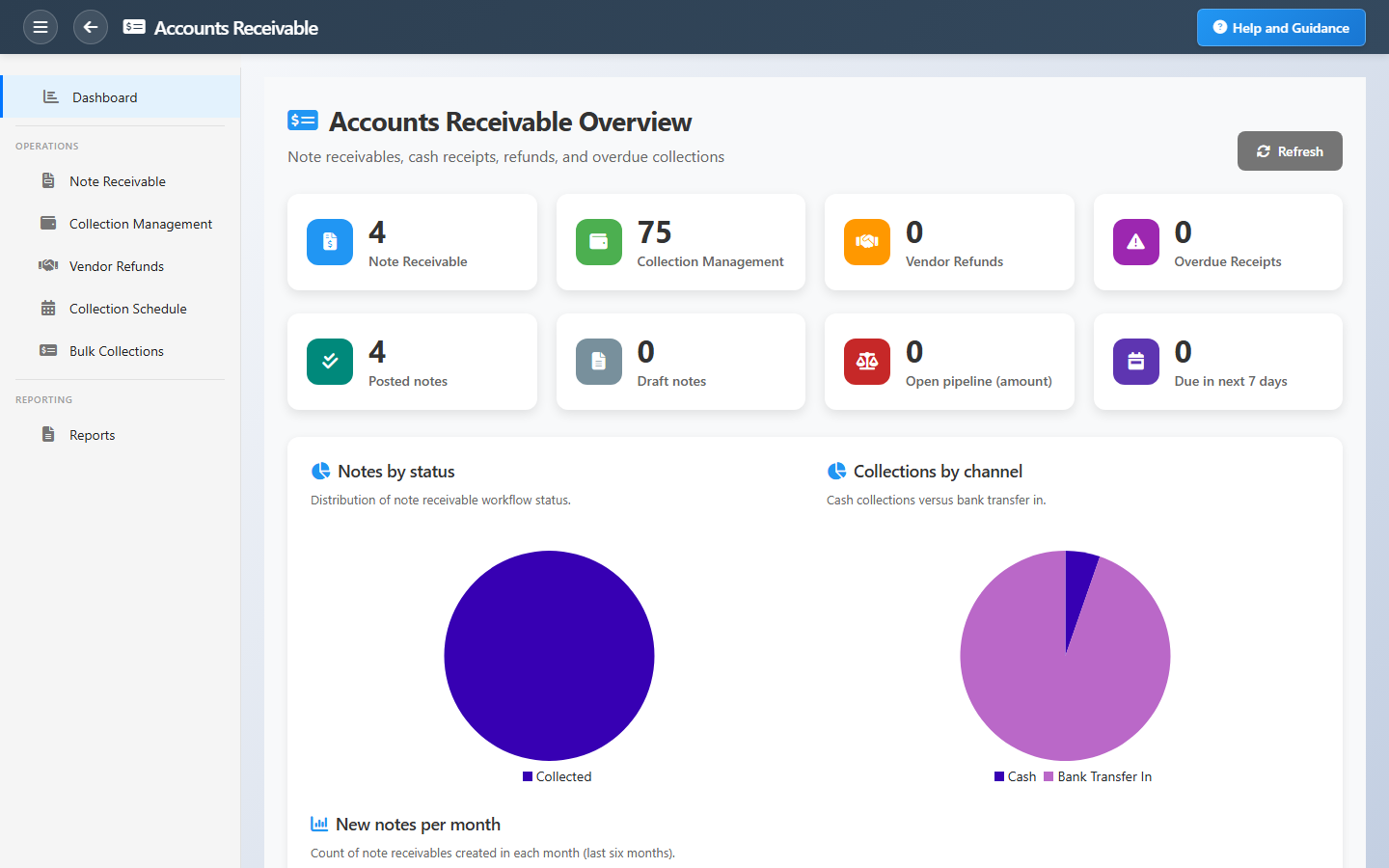
Accounts Receivable gives collections teams a live picture of customer debt. See posted and draft notes receivable, total open exposure, and which receipts are past due.
Record cash collections, plan follow-ups with the collection schedule, and use aging and summary reports to prioritize who to call first. Charts show status mix and collection trends over the last six months.
Key Capabilities
Notes receivable
Track amounts customers owe from draft through posted and collected.
Collection management
Record cash and bank receipts that clear open customer balances.
Overdue focus
Dashboard highlights past-due notes that still need collection action.
Collection schedule
Plan and monitor scheduled collection activity.
Trend charts
Six-month volume and posted-vs-draft views for collections performance.
Receivables aging
Aging by customer and period for credit control and cash forecasting.
Task Assignment Catalog
The Task Assignment Catalog connects workflow events in this module — documents submitted or approved, thresholds crossed, lifecycle handoffs — to the people who should act next. When an event fires, PerfectoERP assigns follow-up tasks, sends in-app notifications, or both, according to each catalog entry. Teams collaborate through My Desk instead of polling lists or chasing status in email.
Note receivable submitted
Task assignment + notification
A note receivable document was submitted for approval.
Default recipients
- Task → Accounts Receivable Manager
- Notification → Accounts Receivable (legacy clerk code)
Default routing is customizable per catalog entry — add job functions or individual users, or disable tasks or notifications in Configure.
Vendor refund submitted
Task assignment + notification
A vendor refund document was submitted for approval.
Default recipients
- Task → Accounts Receivable Manager
- Notification → Accounts Payable Manager
Default routing is customizable per catalog entry — add job functions or individual users, or disable tasks or notifications in Configure.
Customer credit limit exceeded
Notification
A sales document would exceed the customer credit limit. Review before proceeding.
Default recipients
- Notification → Accounts Receivable Manager
Default routing is customizable per catalog entry — add job functions or individual users, or disable tasks or notifications in Configure.
A cash receipt was posted to the ledger.
Notification
A cash receipt voucher was posted. AR and treasury balances are updated.
Default recipients
- Notification → Accounts Receivable Manager
Default routing is customizable per catalog entry — add job functions or individual users, or disable tasks or notifications in Configure.
Customer collection installment overdue
Notification
A sales-order collection installment is past due and not marked paid.
Default recipients
- Notification → Accounts Receivable Manager
Default routing is customizable per catalog entry — add job functions or individual users, or disable tasks or notifications in Configure.
Collection schedule created — review
Task assignment + notification
A customer collection schedule was generated for a posted Sales Order. Review due dates and amounts in Collection Schedule.
Default recipients
- Task and notification → Accounts Receivable Manager
Default routing is customizable per catalog entry — add job functions or individual users, or disable tasks or notifications in Configure.
Interface Showcase
Open receivables, overdue alerts, collection shortcuts, and aging insights.
Connected Modules
Invoicing
Customer invoices that create receivables.
Customers
Customer credit and transaction history.
Banking
Bank accounts where collections land.
Ready to accelerate collections?
Watch open pipeline and overdue balances daily so cash comes in on time and bad debt stays low.