Customer Service
Schedule visits, log follow-ups and feedback, maintain call history, and see recent service activity — with reports for team supervision.
Overview
Customer Service is where frontline teams record how they engage accounts. Schedule field visits, log follow-up actions, capture satisfaction feedback, and keep a call history that sales and support can share.
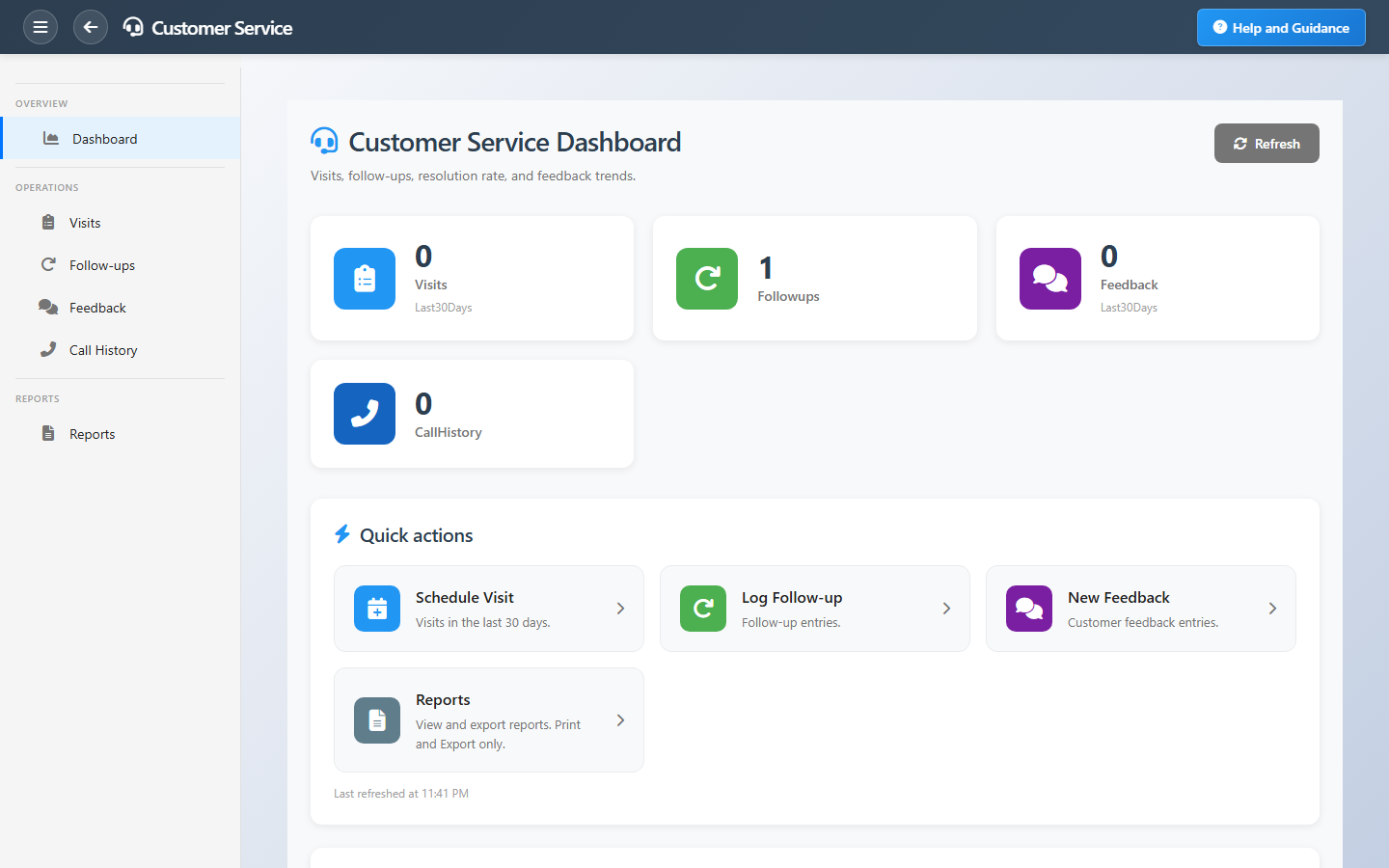
Dashboard tiles show visits and feedback in the last thirty days plus totals for follow-ups and calls. Recent visits list who was seen, when, and status — click through to detail without hunting lists.
Key Capabilities
Visit scheduling
Plan and record customer and lead visits with type and outcome.
Follow-ups
Track promised actions so nothing drops after the meeting.
Feedback capture
Record customer sentiment while it is fresh.
Call history
Central log of calls tied to customers and leads.
Recent activity
Latest visits on the dashboard for quick continuation.
Service reports
Registers and summaries for supervision and review.
Task Assignment Catalog
The Task Assignment Catalog connects workflow events in this module — documents submitted or approved, thresholds crossed, lifecycle handoffs — to the people who should act next. When an event fires, PerfectoERP assigns follow-up tasks, sends in-app notifications, or both, according to each catalog entry. Teams collaborate through My Desk instead of polling lists or chasing status in email.
Customer visit overdue
Task assignment + notification
A scheduled customer visit was not completed on time.
Default recipients
- Task → Customer Service Manager
- Notification → Customer Service Clerk
Default routing is customizable per catalog entry — add job functions or individual users, or disable tasks or notifications in Configure.
Low customer feedback score
Task assignment + notification
A customer submitted low-score feedback. Review and respond.
Default recipients
- Task → Customer Service Manager
- Notification → Complaints Manager
Default routing is customizable per catalog entry — add job functions or individual users, or disable tasks or notifications in Configure.
Interface Showcase
Visit, follow-up, feedback, and call metrics with logging shortcuts.
Connected Modules
Sales Pipeline
Visits can advance deal stages.
Complaints
Escalate when service reveals issues.
Customers
Accounts you visit and support.
Ready to deliver consistent service?
Log touchpoints the same day they happen so supervisors see real workload and customers never feel forgotten.