Complaints
Log customer tickets with priority and due dates, track open workload and SLA risk, measure satisfaction on resolution, and close cases so KPIs stay honest.
Overview
Complaints (Service Desk) gives customer-facing teams a structured way to handle problems. Create tickets with type, priority, customer, and due date; work them in list or Kanban views until resolved.
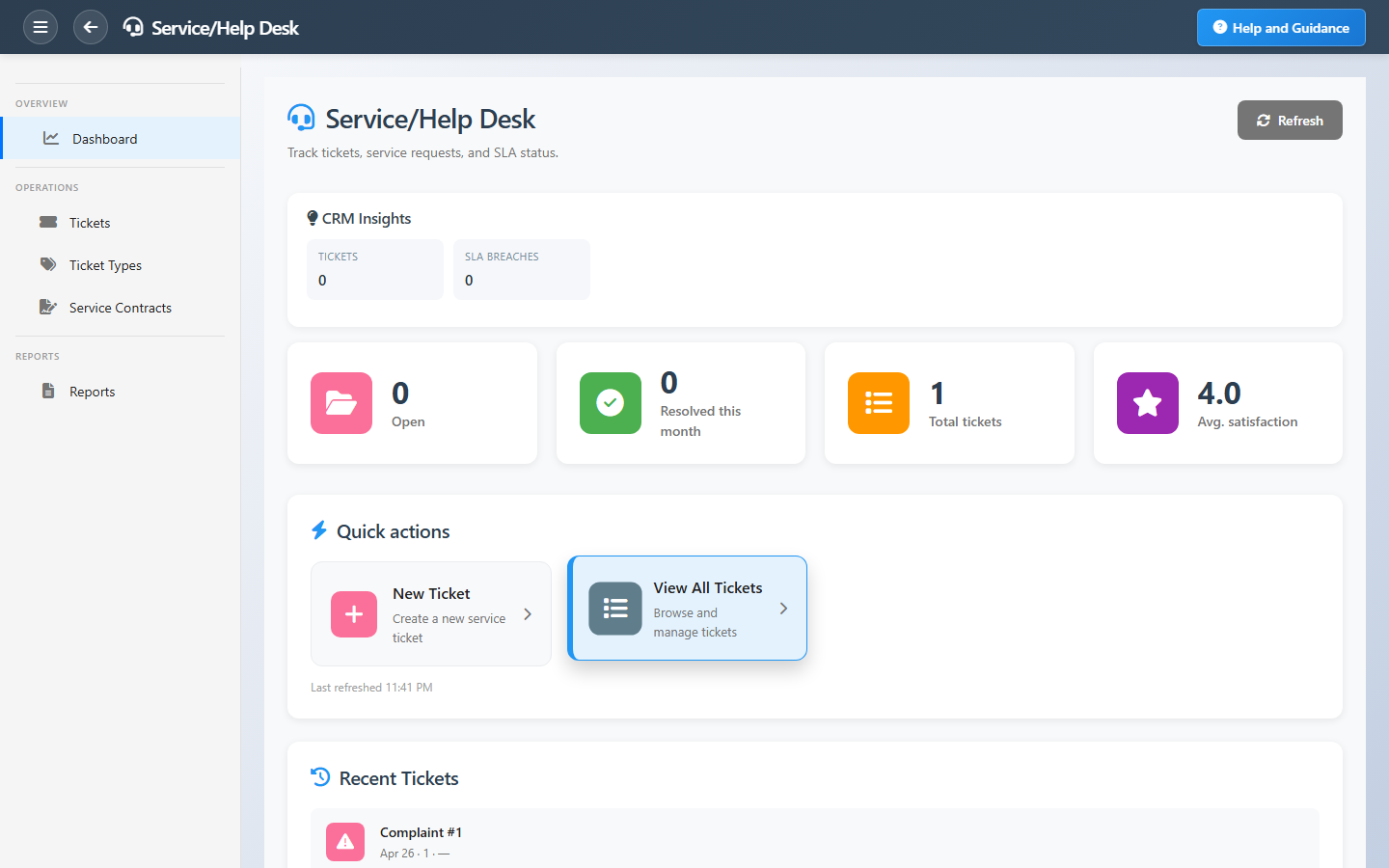
The dashboard shows open tickets, monthly resolutions, average satisfaction where recorded, and an insights panel for SLA breaches and overdue cases — so supervisors intervene before relationships suffer.
Key Capabilities
Ticket register
New, in progress, on hold, and resolved cases in one queue.
Priority & due dates
Triage urgent issues and see what is overdue.
Ownership
Assign an owner on every ticket so accountability is clear.
Satisfaction tracking
Capture customer satisfaction when cases close.
SLA insights
Alerts for breaches and cases needing escalation.
Kanban or grid
Work tickets the way your team prefers.
Task Assignment Catalog
The Task Assignment Catalog connects workflow events in this module — documents submitted or approved, thresholds crossed, lifecycle handoffs — to the people who should act next. When an event fires, PerfectoERP assigns follow-up tasks, sends in-app notifications, or both, according to each catalog entry. Teams collaborate through My Desk instead of polling lists or chasing status in email.
New customer complaint opened
Task assignment + notification
A new customer complaint was logged. Assign an owner and begin resolution within SLA.
Default recipients
- Task → Complaints Manager
- Notification → Customer Service Manager
Default routing is customizable per catalog entry — add job functions or individual users, or disable tasks or notifications in Configure.
Service ticket assigned to you
Task assignment + notification
A service ticket was assigned to you. Acknowledge and work within SLA.
Default recipients
- Task → Complaints Manager
- Notification → Customer Service Manager
Default routing is customizable per catalog entry — add job functions or individual users, or disable tasks or notifications in Configure.
Complaint SLA breached
Task assignment + notification
A complaint exceeded its SLA window. Escalate resolution.
Default recipients
- Task → Complaints Manager
- Notification → Customer Service Manager
Default routing is customizable per catalog entry — add job functions or individual users, or disable tasks or notifications in Configure.
Interface Showcase
Open tickets, SLA insights, satisfaction, and new case shortcuts.
Connected Modules
Customer Service
Visits and follow-ups before escalation.
Sales Pipeline
Sales view of open ticket counts.
Assessment
Formal evaluations linked to accounts.
Ready to close the loop on customer issues?
Assign every ticket, triage by priority daily, and resolve promptly so open counts reflect reality.