Assessment
Define assessment types, run active evaluations, post completed scores, and review recent assessments linked to customers — with registers for reporting.
Overview
Assessment supports formal scoring of customers or prospects — for credit checks, partnership reviews, site surveys, or any repeatable evaluation your business requires. Types define the structure; each assessment records scores, dates, and status.
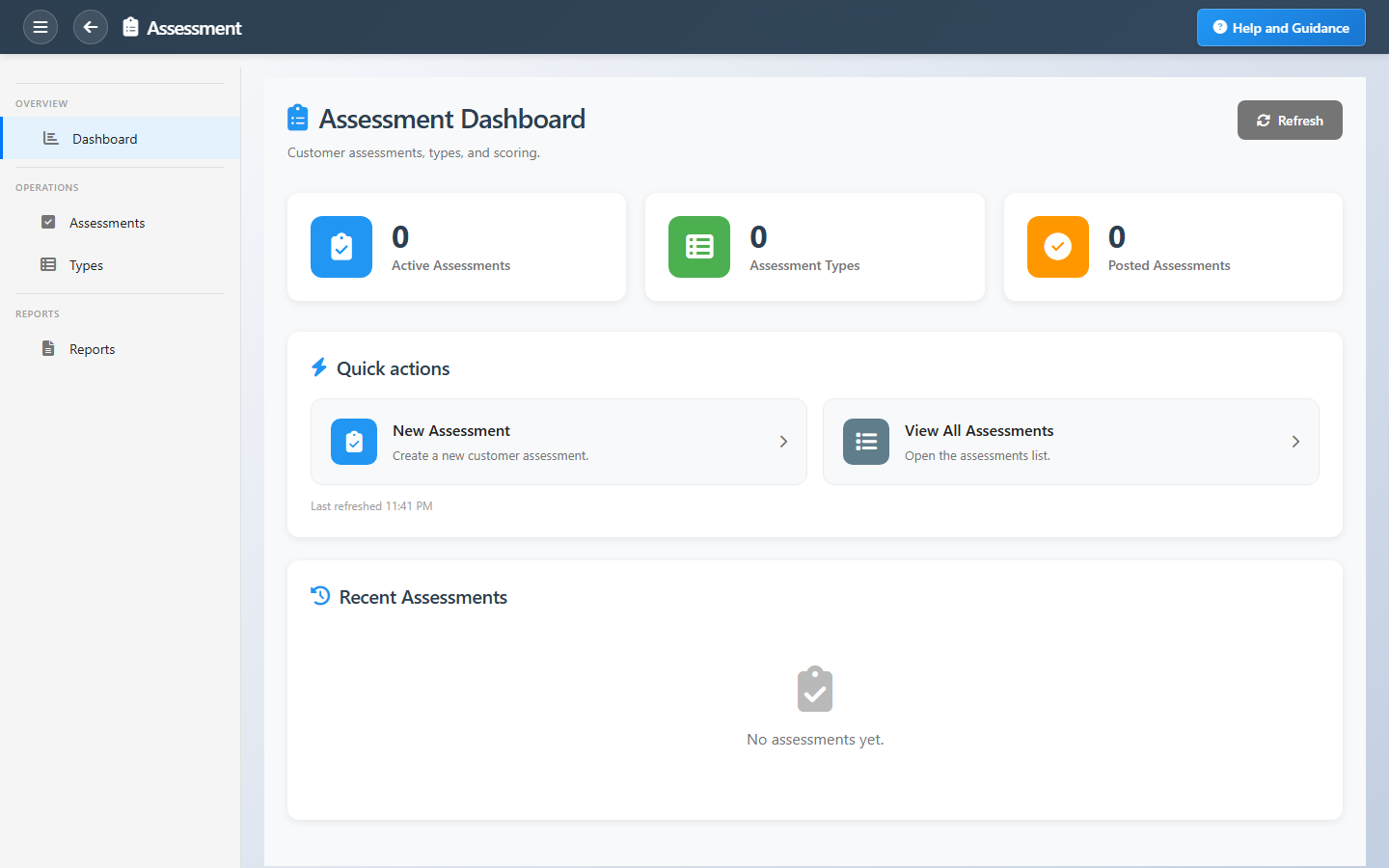
The dashboard shows how many assessments are active, how many types exist, and how many are posted. Recent evaluations list short name, date, status, and customer for fast follow-up.
Key Capabilities
Assessment types
Reusable templates for consistent scoring criteria.
Active evaluations
Work in progress before results are finalized.
Posted assessments
Completed evaluations locked for reporting.
Customer link
Every assessment tied to the account it evaluates.
Recent list
Jump to the latest evaluations from the dashboard.
Assessment reports
Grouped counts and exportable registers.
Task Assignment Catalog
The Task Assignment Catalog connects workflow events in this module — documents submitted or approved, thresholds crossed, lifecycle handoffs — to the people who should act next. When an event fires, PerfectoERP assigns follow-up tasks, sends in-app notifications, or both, according to each catalog entry. Teams collaborate through My Desk instead of polling lists or chasing status in email.
CRM assessment submitted
Task assignment + notification
A CRM assessment was submitted for review.
Default recipients
- Task → Assessment Manager
- Notification → Sales Pipeline Manager
Default routing is customizable per catalog entry — add job functions or individual users, or disable tasks or notifications in Configure.
Interface Showcase
Active and posted counts, assessment types, and recent evaluations.
Connected Modules
Customers
Accounts under evaluation.
Sales Pipeline
Qualification alongside pipeline work.
Complaints
Issues that may trigger reassessment.
Ready to score accounts with consistency?
Use defined assessment types so every evaluation uses the same criteria and posts cleanly when done.