Autodesk Integration
Launch pad between manufacturing job orders and Autodesk Revit design data — recent jobs, quick navigation, and desktop Revit import/export on the job document.
Overview
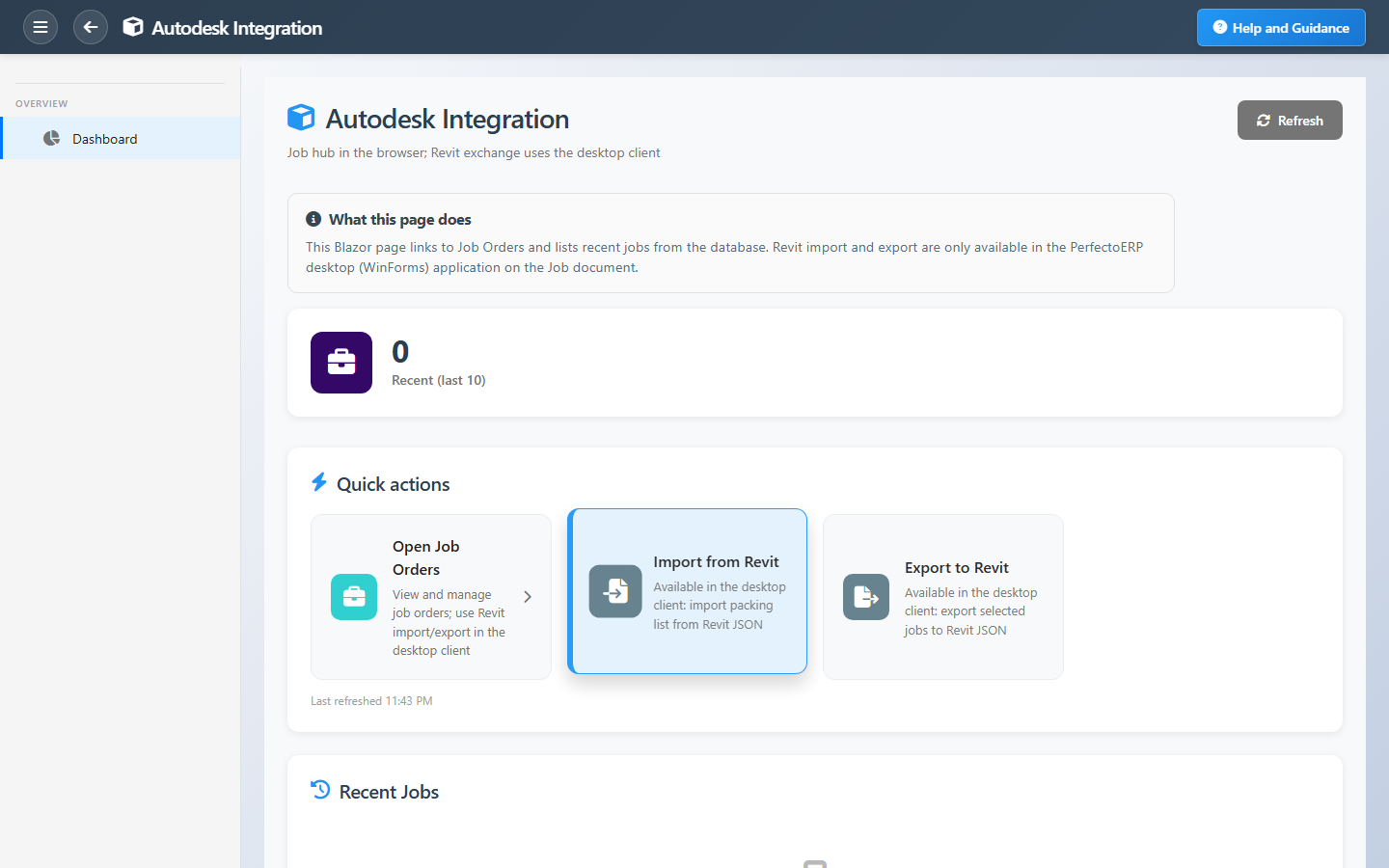
Autodesk Integration is the browser hub that connects manufacturing jobs to design-side work. It is an entry point — not a data-entry screen — with quick actions into Job Orders and a recent-jobs list for work you touched lately.
Revit import and export run on the PerfectoERP desktop client on the job document when enabled; the Blazor hub keeps planners and coordinators one click away from the jobs that drive that exchange.
Key Capabilities
Job order hub
Open the job list to create, edit, or review manufacturing jobs.
Recent jobs
Last ten jobs by order date for fast return to in-progress work.
Revit exchange
Import from and export to Revit on the desktop job document.
Aligned workflows
Reduce rework between engineering models and shop execution.
Job context
Integration depends on jobs being set up correctly first.
Manufacturing map
Fits the broader BOM-to-floor manufacturing flow.
Task Assignment Catalog
The Task Assignment Catalog connects workflow events in this module — documents submitted or approved, thresholds crossed, lifecycle handoffs — to the people who should act next. When an event fires, PerfectoERP assigns follow-up tasks, sends in-app notifications, or both, according to each catalog entry. Teams collaborate through My Desk instead of polling lists or chasing status in email.
Autodesk import failed
Notification
An Autodesk import or sync operation failed. Review the error log.
Default recipients
- Notification → Autodesk Integration User
Default routing is customizable per catalog entry — add job functions or individual users, or disable tasks or notifications in Configure.
Interface Showcase
Job order quick actions and recent jobs linking design and manufacturing.
Connected Modules
Job Orders
Jobs that carry design integration.
Advanced Setup
Component importing and dimensions.
Production Control
Release and track production.
Ready to bridge engineering and the shop?
Open job orders from one hub, keep job data accurate, and use Revit exchange on the desktop client when your deployment includes it.