
BOMs, work centers, planning, and shop-floor handoff—one clear path from plan to finished goods.
Manufacturing depth that pays off
BOM→WO
Structure to execution
Floor↔GL
Output reaches the ledger
Plan
MRP / MTS demand signals
IVA inside PerfectoERP
Ask IVA about manufacturing on your live screens—what a capability means, why a document is blocked, or which report explains a variance. Guidance stays inside your job functions and permissions.
Top capabilities in depth
Manufacturing / MRP capability map
First manufacturing depth that still posts into inventory and finance.
MRP-aware planning
Turn demand and BOMs into actionable production and supply signals.
Work order execution
Issue components, track progress, receive finished items into stock.
Inventory handshake
Production consumes and creates stock on the same warehouses sales already use.
Ledger-ready movements
Manufacturing is not a satellite cost center file at month-end.
Where manufacturing value shows up
Manufacturing ERP delivers when material issues, labor, and finished goods post to the same ledger operations already trust. Week one is not about every routing variant or finite-capacity puzzle. It is about one BOM, one work order path, and one receipt into stock—so plant and finance share a single truth from the start.
Begin with products and units of measure that purchasing, inventory, and production can all recognize. Ambiguous units and duplicate item codes are the fastest way to break MRP trust. Clean masters first; planning quality follows.
A work order that never reaches the ledger is just another parallel universe.
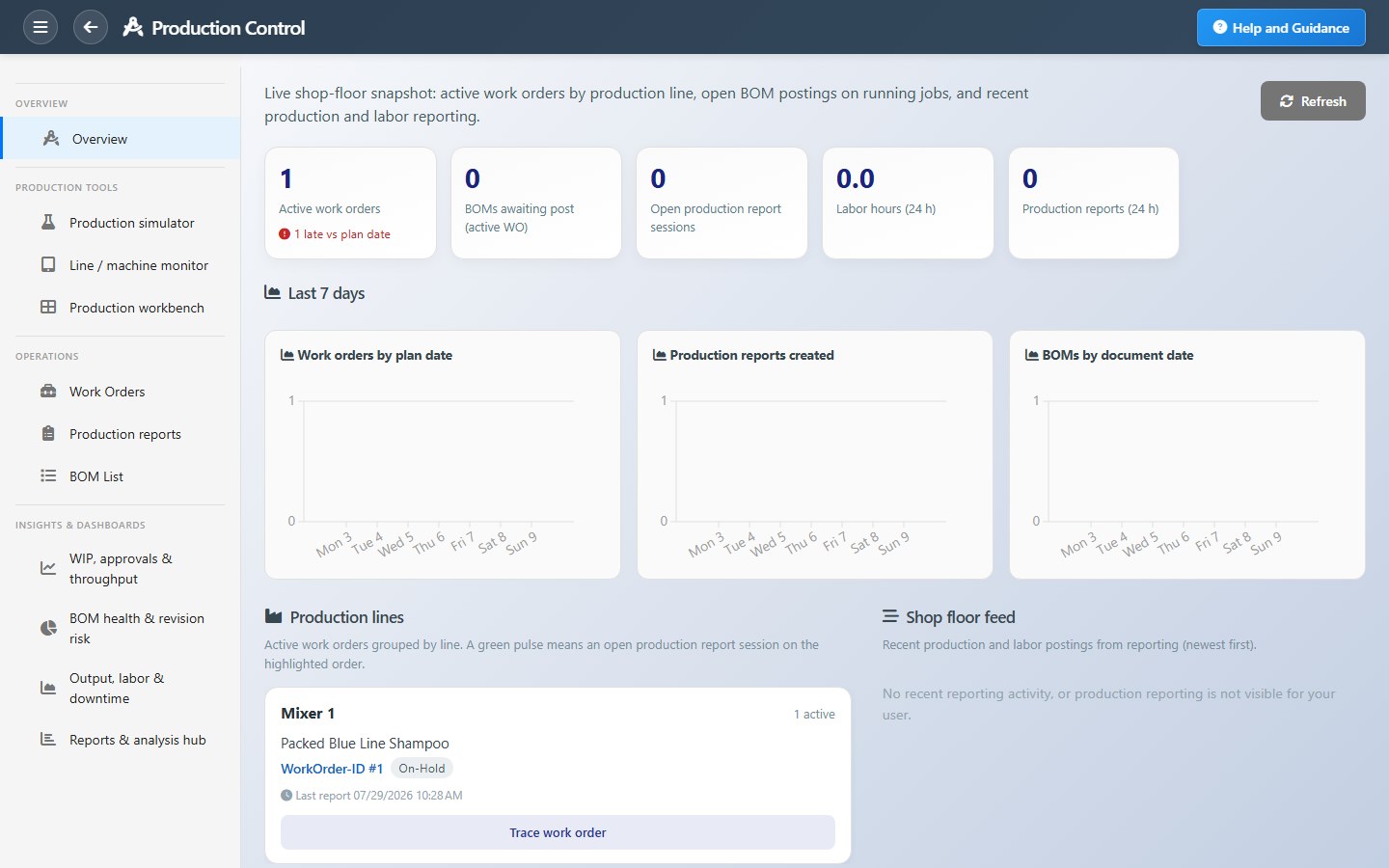
Define a bill of materials for your lead product, then work centers or production lines with the stores and accounts they use. Add a practical planning horizon—enough to see demand and supply without pretending you can schedule the whole year on day seven.
Capabilities from plan to ledger
Plant-to-ledger capabilities
Master
Item / BOM
Plan
MRP / MTS
Order
Work order
Execute
Issue / make
Receive
Finished goods
Cost
Valuation
Connect inventory valuation to finance early. When receipts and issues already post correctly, cost of goods sold stays aligned as you grow into richer scheduling, demand analysis, or make-to-stock planners. Delaying that link only postpones the painful reconciliation.
PerfectoERP brings MRP planning, shop-floor orders, quality checkpoints, and inventory onto one cloud platform with financial control. Stock valuation and product cost stay in the same system your team already uses for purchasing and sales—so shortages and finished goods are not a side spreadsheet.
MRP that planners and the floor both believe
Challenge
MRQ/MRP outputs were ignored because masters were dirty and work orders never closed the ledger loop.
Approach
Clean items and BOMs, then planning and work-order execution on PerfectoERP with inventory and finance on the same company.
Outcome
Shortage conversations pointed to real orders and stock—not to whose spreadsheet was newest.
IVA helps planners and supervisors on live MRP screens—explaining fields, suggesting next steps, and answering questions like “why is this order short?” or “which screen shows inbound supply?” so the floor keeps moving while people learn.
Plant and finance on one truth
Manufacturing features that close the gap
Work orders on the ledger path
Issue, make, and receive leave a trail finance can value—not a parallel shop universe.
Make-to-stock readiness
Finished goods replenishment connects planning, stock, and sales demand.
Quality and depth when ready
Holds, alternates, and richer planning expand on the same posting core.
A strong week-one outcome looks like this: a pilot family of products planned, at least one work order issued and completed, finished goods received, and finance able to see the movements without a manual journal. That proof beats a longer configuration that never posts.
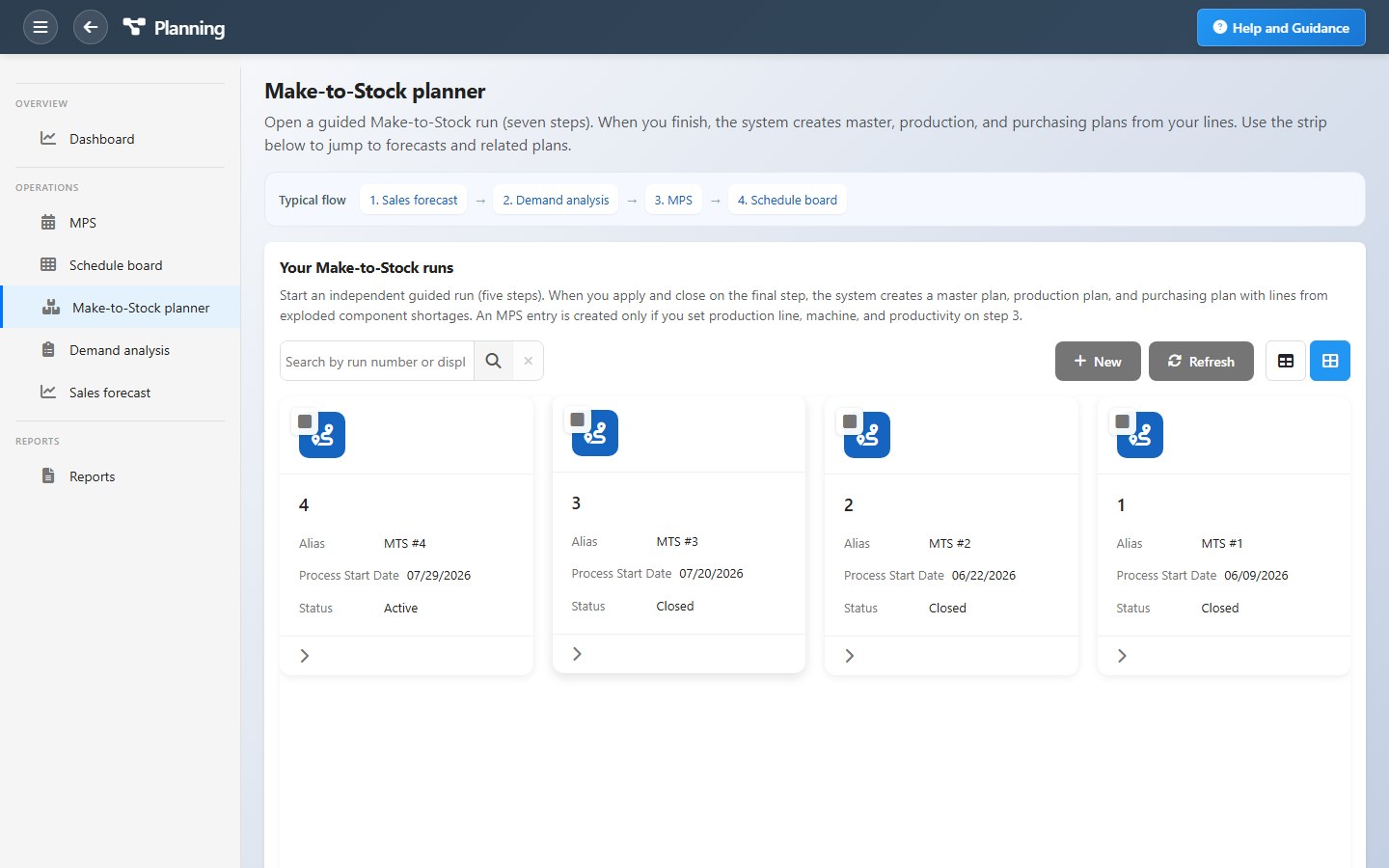
After the core path works, add quality holds, subcontracting, alternate BOMs, and capacity planning as the shop floor settles in. Mid-market manufacturers worldwide—whether in make-to-stock or discrete make-to-order—get value from that sequence: first posting first, then depth.
Self-implementation keeps ownership inside your team. Use Build Your ERP or Pricing to size manufacturing modules for your plan, then Launch ERP when you are ready to open your company space and run week one on live data.
Without PerfectoERP vs with PerfectoERP
Spreadsheets & silos
- BOM versions in email
- Shop floor disconnected from the ledger
- Quality on paper checklists
- COGS reconstructed monthly
PerfectoERP manufacturing
- BOM → work order → stock → ledger
- MTS and MTO on one plant truth
- IVA on live shop screens
- Plant and finance share one truth
What to remember
- Evaluate manufacturing by business outcomes—not by how many workshops a vendor schedules.
- Look for capabilities that connect documents, postings, and permissions on one company.
- Use IVA on live screens within your security model—credits are included per user on your plan.
- Explore related modules and Pricing when you want to go deeper or launch.
Keep exploring
“Manufacturing and MRP: what to configure in week one” is meant to deepen how you evaluate PerfectoERP—benefits, features, and how the pieces fit. When you are ready to experience it on your own company, open Get Started or Pricing.
Related on PerfectoERP