Inventory
Multi-warehouse stock levels, transfers, inbound and outbound, cycle counts, revaluation, and available-to-promise — integrated with sales, purchasing, and production.
Overview
Inventory tracks quantity and value by warehouse, location, and bin. Receipts from purchasing increase on-hand; sales and production issues decrease it; transfer requests move stock between sites with full traceability.
Cycle counts and damaged-item workflows keep physical stock aligned with the system. Revaluation adjusts value when costs change. Dashboards highlight safety stock, EOQ, movement, and forecast for buyers and controllers.
Key Capabilities
Warehouses & bins
Structure sites, zones, and bin locations for precise picking.
Stock levels
Live on-hand with drill-down to every transaction.
Transfers
Inter-warehouse moves with request and approval flows.
Cycle counting
Scheduled counts with variance investigation before adjustment.
Available to promise
Promise customers based on real allocatable stock.
Analytics & reports
Safety stock, slow movers, valuation, and movement summaries.
Task Assignment Catalog
The Task Assignment Catalog connects workflow events in this module — documents submitted or approved, thresholds crossed, lifecycle handoffs — to the people who should act next. When an event fires, PerfectoERP assigns follow-up tasks, sends in-app notifications, or both, according to each catalog entry. Teams collaborate through My Desk instead of polling lists or chasing status in email.
Transfer request approved — execute transfer
Task assignment + notification
An inter-warehouse transfer request was approved. Pick, ship, and receive quantities per the transfer lines.
Default recipients
- Task → Transfer Responsible
- Notification → Warehouse Supervisor
Default routing is customizable per catalog entry — add job functions or individual users, or disable tasks or notifications in Configure.
Cycle count variance found
Task assignment + notification
A cycle count recorded a quantity variance. Investigate and post adjustments.
Default recipients
- Task → Cycle Count Specialist
- Notification → Inventory Manager
Default routing is customizable per catalog entry — add job functions or individual users, or disable tasks or notifications in Configure.
Stock revaluation submitted
Task assignment + notification
A stock revaluation document was submitted for approval.
Default recipients
- Task → Stock Revaluation Responsible
- Notification → Inventory Manager
Default routing is customizable per catalog entry — add job functions or individual users, or disable tasks or notifications in Configure.
Damaged item request submitted
Task assignment + notification
A damaged item request was submitted for approval.
Default recipients
- Task → Damage Item Responsible
- Notification → Warehouse Supervisor
Default routing is customizable per catalog entry — add job functions or individual users, or disable tasks or notifications in Configure.
Process order completed
Task assignment + notification
An inventory process order completed. Review output quantities and costs.
Default recipients
- Task → Process Order Responsible
- Notification → Inventory Manager
Default routing is customizable per catalog entry — add job functions or individual users, or disable tasks or notifications in Configure.
Item below reorder point
Notification
One or more items fell below the reorder point. Review replenishment.
Default recipients
- Notification → Purchase Planner Responsible
Default routing is customizable per catalog entry — add job functions or individual users, or disable tasks or notifications in Configure.
Negative on-hand detected
Notification
Negative on-hand quantity was detected. Investigate transactions immediately.
Default recipients
- Notification → Inventory Manager
Default routing is customizable per catalog entry — add job functions or individual users, or disable tasks or notifications in Configure.
Inter-warehouse transfer submitted
Task assignment + notification
A stock transfer request was submitted for approval.
Default recipients
- Task → Transfer Responsible
- Notification → Warehouse Supervisor
Default routing is customizable per catalog entry — add job functions or individual users, or disable tasks or notifications in Configure.
Inventory outbound request submitted
Task assignment + notification
An inventory outbound request was submitted for approval.
Default recipients
- Task → Warehouse Supervisor
- Notification → Inventory Manager
Default routing is customizable per catalog entry — add job functions or individual users, or disable tasks or notifications in Configure.
Inventory cycle count due
Notification
An inventory cycle count is due or overdue. Schedule counting.
Default recipients
- Notification → Warehouse Supervisor
Default routing is customizable per catalog entry — add job functions or individual users, or disable tasks or notifications in Configure.
Partial goods receipt against PO
Notification
A purchase order line was partially received. Follow up on remaining quantities.
Default recipients
- Notification → Inbound Responsible
Default routing is customizable per catalog entry — add job functions or individual users, or disable tasks or notifications in Configure.
Purchase line received into stock
Task assignment + notification
A purchase order line was inbound on the Inventory Inbound screen. Review the line and stock transaction if needed.
Default recipients
- Task → Inbound Responsible
- Notification → Inventory Manager
Default routing is customizable per catalog entry — add job functions or individual users, or disable tasks or notifications in Configure.
Inventory Outbound Request approved — issue material
Task assignment + notification
An Inventory Outbound Request was approved. Pick the items from the source warehouse and complete the transfer/issue.
Default recipients
- Task → Stock Clerk
- Notification → Warehouse Supervisor
Default routing is customizable per catalog entry — add job functions or individual users, or disable tasks or notifications in Configure.
Interface Showcase
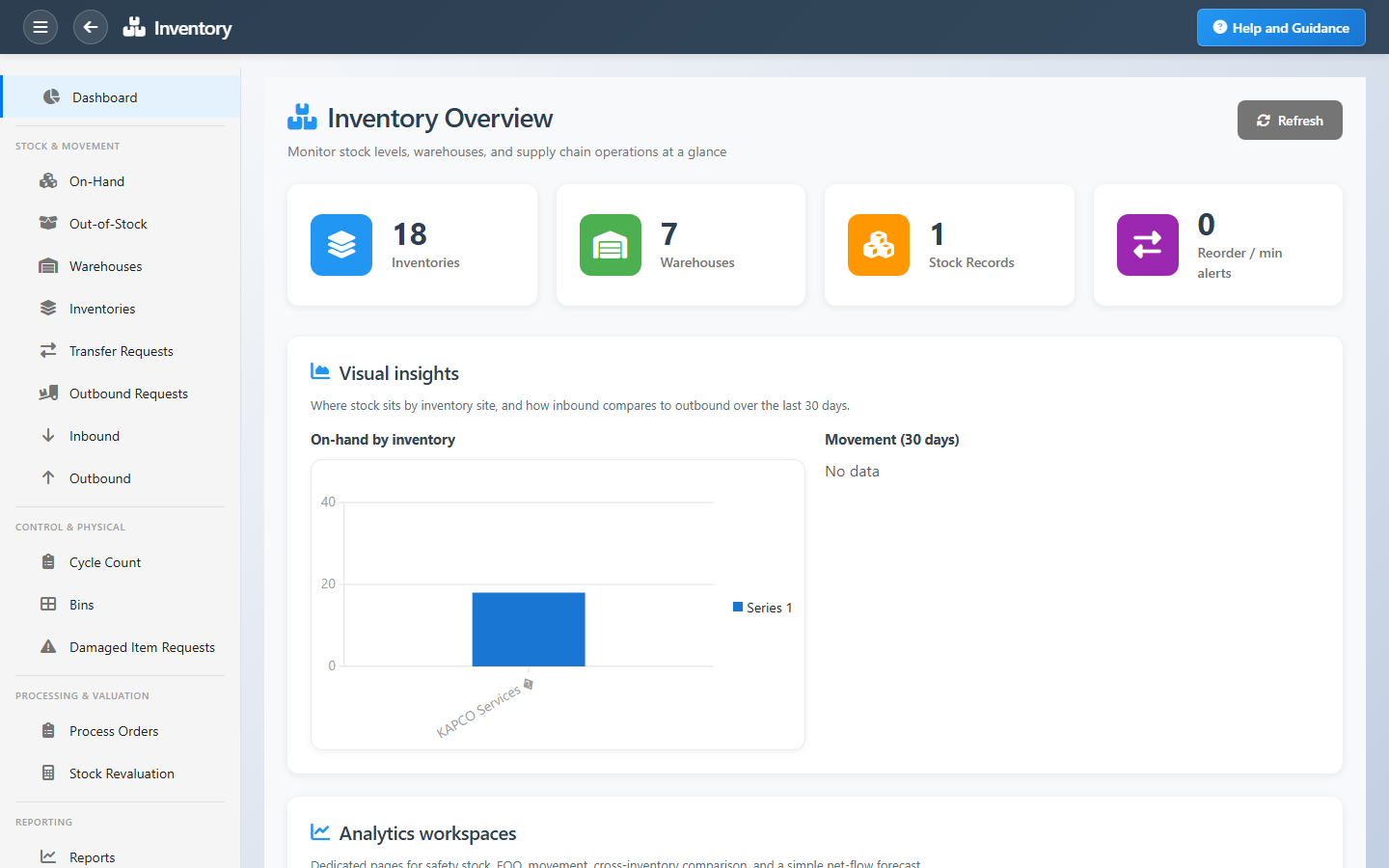
Stock overview, movement shortcuts, analytics, and replenishment signals.
Connected Modules
Products
Item master definitions.
Purchasing
Replenish low stock.
Sales Orders
Reservations and issues.
Ready to trust your stock figures?
Move goods through proper transactions, count on schedule, and promise customers only what you can pick.